When I upgraded to Xcode 3.2 along with Snow Leopard, the output to the console was filled with apparently random garbage, and lots of white space. This also happened in Safari when a page used a fixed space font. I don't know exactly what was going on, but I think that at some point I had set both of these font sets to some version of either Monoco or Courier, and when I installed Snow Leopard, the particular font I had used went away which confused the applications in question.
Anyway, I went to the Debugger preference tab in Xcode (not the Fonts & Colors tab) and changed all the various console fonts to be some variant of Menlo. Similarly, in Safari, I set the Fixed Width Font to Menlo-13, and all was right with my world.
[Update: this also affected the AppleScript Editor, and the font was Courier]
{Update 2: Further investigation using the Font Book application found two conflicting copies of Courier /System/Library/Fonts/Courier.dfont with a modification date of July 2009 and /Library/Fonts/Courier TU with a modification date in June 1996. Removing the older font and restarting my apps has fixed the problem.]
Friday, September 04, 2009
Thursday, July 30, 2009
Saturday, July 25, 2009
The Truthiness of Things I Said on DotNetRocks
When I recorded a recent episode of DotNetRocks I recorded my side of the conversation so that the sound engineers would have a cleaner copy of what I said then what went through the phone lines. And I've listened to what I said several times, and every time I do, I find a mistake I made; things I should and did know but in the course of talking quickly for an hour off the cuff didn't get quite get right.
Also, I say "You Know", "Like", and "Uh" way too often; and I was completely unaware that I did so.
- Said that Adobe had taken over development of Java for OS X when I should have said they took over the Java SWT.
- Should have kept my opinion of Java GUIs to myself since I haven't used SWT
- Confused NSSortDescriptor with NSPredicate when it came to extracting Core Data
- I strongly implied that Cocoa was for GUI work when of course, it's great for most aspects of application development including threading and networking
- Completely garbled the relationship properties of Core Data objects
- Turns out that the C++ paths dialog in Visual Studio is actually resizable. It's just really easy to miss the drag target.
Also, I say "You Know", "Like", and "Uh" way too often; and I was completely unaware that I did so.


Tuesday, July 21, 2009
"I'm A Mac Programmer; and a Mac User. And We are Arrogant People"
“I’m a Mac programmer, and a Mac user, and we are arrogant people. And we love beauty.”
I've never been a guest on a podcast before, so my hour talking to the guys on DotNetRocks was one of the more interesting things I've done all year. And it is amazing what came out of my mouth, including the above quote.
This was in context of my describing the cloudy future of cross-platform development and how I was uninterested in any development strategy that didn't involve using Cocoa for the GUI on the Mac. I don't know that I've ever used the word arrogant to describe something positive before, perhaps a better word would have been demanding, but then again maybe it was the right word.
I'll put up a note when they post the show in the coming weeks.
Saturday, July 18, 2009
On Xcode 3.1 versus Visual Studio 2008
Recently, the DotNetRocks Podcast had an episode where the guest spent an hour slamming Xcode, Objective-C, and the Cocoa frameworks, and how awful iPhone development was in comparison to Visual Studio, C# and .Net. The guest went so far as to diagnose anyone enjoying the iPhone toolchain with Stockholm syndrome.
I wrote the hosts a scathing e-mail, pointing out that I had used a lot of frameworks, and a lot of IDEs—including regular use of Visual Studio for the last 7 years—and that the iPhone coding experience, with the exception of the annoyance of code signing, was second to none in fun. Apparently, the folks at dotnetrocks have a policy for dealing with over the top ranters, they invite them on the show. I'll be recording an episode Monday.
This blog post is part of the process of organizing my thoughts for that show. If I go on and say I like Xcode 3.1 better than Visual Studio 2008, the question will immediately become why. And the reasons behind that are either absolute i.e., that some aspect of Xcode allows me to do a better job than Visual Studio just by having a better thought out design, or personal in that Xcode is embedded in a Mac, and I love my Mac. This post cannot hope to be inclusive and I'll focus on things I don't like about Visual Studio that are done well on Xcode 3.1.
BTW, all these web ready PNGs are just the way OS X takes screen shots. If only I knew how to make Windows XP take partial screen shots directly into PNG.
On Xcode on the other hand, all the properties are visible at once: And what's that at the top of the page? A search field, you mean I can just paste in the parameter and it will find it? Yes, yes I can.

And what's this thing in the corner "Based on", you mean if I have a project (a solution in Visual Studio speak) with a bunch of sub-projects (a project in Visual Studio speak) that I can create a set of configuration files that are shared amongst some of them and overrided as needed and not have to go to every single project and change its settings when I want to add a path?

And speaking of paths, doesn't this include path dialog dialog look a bit small? Oh, you can resize it like nearly every other window in Xcode Why? Because Xcode was written in Cocoa where resizing views and windows is easy.
Hey it looks like the Visual Studio include path dialog is resizable too. But only horizontally not vertically, I guess people only need two paths. [Update: turns out it was just really hard to resize, at least for me. The traction corner was not the proper target.]
 Here is the Object Allocations Instrument where I can ferret out performance problems indicated by too many object allocations or having objects hang around too long. For instance, earlier in the year, I ran into a problem where I was adding a timer to my run loop every tenth of a second, this was not technically a leak and would not have been solved via garbage collection but did show up in the allocations instrument as a worrisome growing number of CFTimerRefs. Notice that you can analyze and experiment on a running copy; you do not have to deal with after the fact reports.

And you can find the stack trace of every allocation.
As for Visual Studios profiling tools, well I know they are there, as I have used them in the past to find some performance problems and leaks in C++, but I can't even find them right now; that's how ill layed out Visual Studio is that something as critical to the development process as profiling is hard to find. Regardless, as I recall, the tools included were of the old fashioned variety where you ran the app, quit and the profiler would crank away for a minute or two and give you a report which you could browse through and dig into call sequences to find out for instance what fraction of the time was spent in a given method and its children. Useful, but really bare bones. And this article on Microsoft's site indicates the situation is similar when doing .Net development.
My biggest peeve about Visual Studio is how easy is to undock an embedded subwindow while doing something else. Honestly how often does one rearrange their project panes? And then I have to figure out where to drag the window back to given this onscreen display:
My second peeve would be the amazingly small tool icons. Monitors are large and getting higher resolution. Icons 4x as big as these would be more appropriate for today.

I say like to find, because Visual Studio is so filled with impossible to discover features, it might just have it already.
[Update: Philippe writes to say
[Update: content updated since first post]
I wrote the hosts a scathing e-mail, pointing out that I had used a lot of frameworks, and a lot of IDEs—including regular use of Visual Studio for the last 7 years—and that the iPhone coding experience, with the exception of the annoyance of code signing, was second to none in fun. Apparently, the folks at dotnetrocks have a policy for dealing with over the top ranters, they invite them on the show. I'll be recording an episode Monday.
This blog post is part of the process of organizing my thoughts for that show. If I go on and say I like Xcode 3.1 better than Visual Studio 2008, the question will immediately become why. And the reasons behind that are either absolute i.e., that some aspect of Xcode allows me to do a better job than Visual Studio just by having a better thought out design, or personal in that Xcode is embedded in a Mac, and I love my Mac. This post cannot hope to be inclusive and I'll focus on things I don't like about Visual Studio that are done well on Xcode 3.1.
Project Properties
I recently needed to turn off the "/GL" flag in the release build of a C++ project on Windows (because a google of an arcane linker error code said that flag was involved.) So, I had to find that flag in the project properties. And, of course, in Visual Studio, if you don't know where a property is kept, you have to click through all the categories and subcategories until you find it. In this case, despite being about linking it was under Configuration Properties:C/C++:Optimization:Whole Program OptimizationBTW, all these web ready PNGs are just the way OS X takes screen shots. If only I knew how to make Windows XP take partial screen shots directly into PNG.

On Xcode on the other hand, all the properties are visible at once:
And what's that at the top of the page? A search field, you mean I can just paste in the parameter and it will find it? Yes, yes I can.And what's this thing in the corner "Based on", you mean if I have a project (a solution in Visual Studio speak) with a bunch of sub-projects (a project in Visual Studio speak) that I can create a set of configuration files that are shared amongst some of them and overrided as needed and not have to go to every single project and change its settings when I want to add a path?
And speaking of paths, doesn't this include path dialog dialog look a bit small? Oh, you can resize it like nearly every other window in Xcode
Why? Because Xcode was written in Cocoa where resizing views and windows is easy.Profiling
As anyone who's ever coded with me knows, I believe in the power of profiling. It is something I do as part of my personal development process. Both Xcode and Visual Studio have profiling tools. Xcode's tools go by the name of Instruments and they are prominently available in the Run menu.Here is the Object Allocations Instrument where I can ferret out performance problems indicated by too many object allocations or having objects hang around too long. For instance, earlier in the year, I ran into a problem where I was adding a timer to my run loop every tenth of a second, this was not technically a leak and would not have been solved via garbage collection but did show up in the allocations instrument as a worrisome growing number of CFTimerRefs. Notice that you can analyze and experiment on a running copy; you do not have to deal with after the fact reports.
And you can find the stack trace of every allocation.
As for Visual Studios profiling tools, well I know they are there, as I have used them in the past to find some performance problems and leaks in C++, but I can't even find them right now; that's how ill layed out Visual Studio is that something as critical to the development process as profiling is hard to find. Regardless, as I recall, the tools included were of the old fashioned variety where you ran the app, quit and the profiler would crank away for a minute or two and give you a report which you could browse through and dig into call sequences to find out for instance what fraction of the time was spent in a given method and its children. Useful, but really bare bones. And this article on Microsoft's site indicates the situation is similar when doing .Net development.
Static Analysis
It is a good idea to run your code through a static analyzer every now and again to pick up the little bits of idiocy we all suffer through. In .Net, the popular analyzer is FxCop and while I haven't personally used it, I have had our outsource team run analysises and the results have been quite useful especially when dealing with the code of junior engineers. You can get a free static analyzer for Mac and iPhone development too: Clang and I have used it and it's great at making sure your code is following the rules. Please run it before every release.Layout
It probably is redundant, that I, a Mac user since high school, prefer the appearance and layout of Xcode to Visual Studio. It's also pretty much a given that where I see large mouse targets and esthetically pleasing use of space, a Visual Studio aficionado will see wasted space and a lack of important buttons. (BTW, if you are a PC user new to the Mac, use your left thumb to hold down the command key not your pinkie like you would if it were the CTRL key. Yes habits are hard to break, that does not mean the Mac's primary meta key is in a stupid place, far from it.)My biggest peeve about Visual Studio is how easy is to undock an embedded subwindow while doing something else. Honestly how often does one rearrange their project panes? And then I have to figure out where to drag the window back to given this onscreen display:
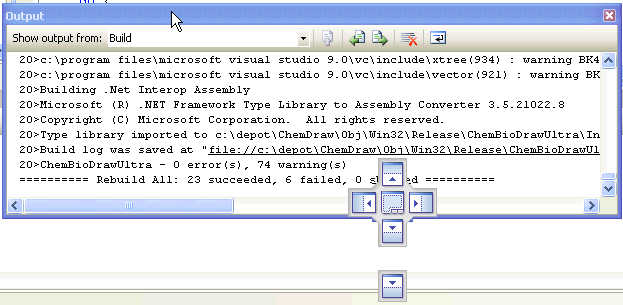
My second peeve would be the amazingly small tool icons. Monitors are large and getting higher resolution. Icons 4x as big as these would be more appropriate for today.
Number 1 Favorite Features I'd Like to Find in Visual Studio
The open quickly dialog (command-shift-D) in Xcode used to be functional, but a bit lame compared to the one that had been in Metrowerks CodeWarrior, now it's one of the greatest things ever. Just open it up and start typing and as like as not, you will find the file you are looking for in a dynamically filled search list. And it is amazingly fast.
I say like to find, because Visual Studio is so filled with impossible to discover features, it might just have it already.
[Update: Philippe writes to say
Also, a neat trick in Visual Studio that mimics "Open Quickly" is this:]
1. Set the focus to the Search field in the toolbar
2. Type ">of " followed by the filename (e.g. ">of MyF")
Getting Better All The Time
Long time Mac coders will recall that when Xcode first came out it was much worse (at the very least as a C++ IDE) than the product it killed: Metrowerks CodeWarrior which was a refined, lightning fast IDE beloved by most. But over the years, Xcode has gotten better by fits and starts. And since the iPhone took off, it's been getting better by leaps and bounds. Code completion, which used to be useless is now indispensable. The linker has gotten much faster and memory savy. The new llvm compiler which replaces gcc is fast, stable, and thankfully even tougher on iffy code. I've actually started using in-editor debugging to look up variable values, and like I said before the Open Quickly dialog is fantastic.To Sum Up
I like Xcode. It is an Apple product, with all the good that entails: esthetics, selective choice of features, performance, ease of use. From a base of high quality, it continues to improve. I suspect it will soon integrate such technologies as Clang or openCL and become even better. PC programmers moving over to iPhone development should give it a chance and try to grok how and why it is the way it is.[Update: content updated since first post]
Saturday, June 27, 2009
The lagging edge
I was taking my daily glance through MacSurfer when I was struck by a press release from WaveMetrics announcing a new version of Igor, the data graphing program. That brought back memories, Igor was my absolute favorite graphing program back when I was in Chemistry grad school in the early 1990s and it could always be depended upon to make the slickest output of the myriad Mac or Windows programs used at what was then called the Center for X-Ray Lithography. I have not seen it since graduating in 1995, and it is good to see it is still alive.
But what really caught my eye, that it is now in 2009 that Igor has moved to Quartz rendering from QuickDraw. According to Wikipedia Quartz was first demonstrated at the 1999 WWDC and has been the recommended mode of rendering on OS X since its introduction. Such is the inertia in the software business that an application as graphically intensive as Igor, a program which would benefit hugely from the modern features one gets for little effort with Quartz, takes 10 years to make the transition.
I wonder if the proximal cause of this laggard transition is the impending doom of Snow Leopard, where QuickDraw using 32-bit apps are distinct second class citizens. A "Pro" graphing app, might well benefit from 64-bit status, and to do that every single QuickDraw call must be expunged. Apple had spent enough time on carrots in making Quartz a beautifully clean API generally superior to QuickDraw in every way, and is now bringing down the stick of enforced obsolescence to bring the last stragglers into the fold.
I will be doing this transition over the course of the summer, myself. I'm down to 800 or so deprecated symbol warnings, so I've a ways to go before the day job application sees 64-bit nirvana.
But what really caught my eye, that it is now in 2009 that Igor has moved to Quartz rendering from QuickDraw. According to Wikipedia Quartz was first demonstrated at the 1999 WWDC and has been the recommended mode of rendering on OS X since its introduction. Such is the inertia in the software business that an application as graphically intensive as Igor, a program which would benefit hugely from the modern features one gets for little effort with Quartz, takes 10 years to make the transition.
I wonder if the proximal cause of this laggard transition is the impending doom of Snow Leopard, where QuickDraw using 32-bit apps are distinct second class citizens. A "Pro" graphing app, might well benefit from 64-bit status, and to do that every single QuickDraw call must be expunged. Apple had spent enough time on carrots in making Quartz a beautifully clean API generally superior to QuickDraw in every way, and is now bringing down the stick of enforced obsolescence to bring the last stragglers into the fold.
I will be doing this transition over the course of the summer, myself. I'm down to 800 or so deprecated symbol warnings, so I've a ways to go before the day job application sees 64-bit nirvana.
Tuesday, June 09, 2009
Star Trek Lessons for Safari
A little noted part of Monday's WWDC keynote was the final feature set for Safari 4. Safari now has searching of browsing history. This reminds me of this exchange in the first season of Star Trek: The Next Generation:
It would take Data several hours to search all of Star Fleets records for instances of people showering in their clothes. Such records are quite voluminous. Searching for "shower clothes" gets 23,200,000 hits on Google now, it must be many times more in Data's day.
However, the proper data set to search is every bit of text that Riker had ever read, a much smaller set. As every viewer knows, Star Fleet personnel rarely read paper books, those tend to be kept in glass display cases; they read Kindles. And it wouldn't take much programming to keep track of every page that was ever displayed on a Kindle, or displayed in the browser on your computer.
If I remember seeing a bit of information I now need, like the name of the product manager for Keynote (yes I happen to want to know this), it would be quicker looking in web pages I've seen than it would be googling against all of man's knowledge. I doubt I read as many as 100 pages a day. My browser history says I visited 120 URLs on Monday, and that was a heavy day. Humankind as a whole must be writing 10s of millions of English text pages a day, and has been doing so for quite some time.
But to be truly useful, this data set has to be maintained over one's entire life, and include computers, smart phones, Kindles, and every other gadget that tells us something. So, history search is in Safari, but that's only a start.
Cmdr Riker: "Data, I need help in locating some library-computer information. All I have is a vague memory of reading somewhere about someone taking a shower in his or her clothing."
Lt. Cmdr Data: "Ah. The body Geordi discovered."
Cmdr Riker: "And I believe it may have happened before."
Lt. Cmdr Data: "To 'someone,' 'somewhere.'"
Cmdr Riker: "Should be easy for someone written up in biomechanical texts."
Lt. Cmdr Data: "About that... did the doctor believe I was boasting?"
Cmdr Riker: "Probably. This may take some time?"
Lt. Cmdr Data: "At least several hours. But what I said was a statement of fact."
It would take Data several hours to search all of Star Fleets records for instances of people showering in their clothes. Such records are quite voluminous. Searching for "shower clothes" gets 23,200,000 hits on Google now, it must be many times more in Data's day.
However, the proper data set to search is every bit of text that Riker had ever read, a much smaller set. As every viewer knows, Star Fleet personnel rarely read paper books, those tend to be kept in glass display cases; they read Kindles. And it wouldn't take much programming to keep track of every page that was ever displayed on a Kindle, or displayed in the browser on your computer.
If I remember seeing a bit of information I now need, like the name of the product manager for Keynote (yes I happen to want to know this), it would be quicker looking in web pages I've seen than it would be googling against all of man's knowledge. I doubt I read as many as 100 pages a day. My browser history says I visited 120 URLs on Monday, and that was a heavy day. Humankind as a whole must be writing 10s of millions of English text pages a day, and has been doing so for quite some time.
But to be truly useful, this data set has to be maintained over one's entire life, and include computers, smart phones, Kindles, and every other gadget that tells us something. So, history search is in Safari, but that's only a start.
Tuesday, May 26, 2009
The Wonders of the iPhone Star Rating
So, I have my free MythTV remote in the iPhone App Store and it only has a 2 star average rating.

Not exactly a Gaussian distribution.
I think that there are a class of iPhone users who download every free app they can get their hands on, whatever it's description of use, and then later tidy up, delete the app and give it a 1 star rating. For free apps, you should only go by the ratings of people who bothered to write a review.
Of course, reviewers can be pretty picky. Here are some nearly representative 1 star reviews for RRgh:
I will freely admit that out of 10 reviewed 1 star ratings, 7 didn't like the app, mainly because they didn't know MythTV. Fair enough, MythTV is not for the casual computer user, or someone who gets paid by the hour. My major point, if I had a point, is you should read the reviews of free apps, their star rating is not generally helpful.
Not exactly a Gaussian distribution.
I think that there are a class of iPhone users who download every free app they can get their hands on, whatever it's description of use, and then later tidy up, delete the app and give it a 1 star rating. For free apps, you should only go by the ratings of people who bothered to write a review.
Of course, reviewers can be pretty picky. Here are some nearly representative 1 star reviews for RRgh:
“Trop compliqué, pas ergonomique, trop cher.. bref! tout faux. A déconseiller fortement." (Google translates this as "Too complicated, not ergonomic, too expensive .. short! all wrong. A highly recommended.” 1 Star
“I love this because of it's ease of use. All who done know time consuming getting myth to work the way you it is so this application come is a fresh breath of air. I use myth on my 64bit Suse 11.0 box an it took me less than 3 minutes to set up my box to work with the app. I want to note that mymote has not worked for me yet which is disappointing because I think the interface looks better. Just remember that your default port is 6546 and your ip of your myth box. After that just enable it in the setup/utilities -- setup -- general option.” 1 Star
“A virtually flawless app I use it all the time, no more looking for the remote, it's always in my pocket! My only suggestion is to add the ability to schedule recordings if possible
Thank you
Dave” 1 Star
I will freely admit that out of 10 reviewed 1 star ratings, 7 didn't like the app, mainly because they didn't know MythTV. Fair enough, MythTV is not for the casual computer user, or someone who gets paid by the hour. My major point, if I had a point, is you should read the reviews of free apps, their star rating is not generally helpful.
Monday, April 27, 2009
On the Motivation for Updating a Free iPhone App
When I sat down to learn iPhone development, I settled on writing a remote control for MythTV as a first product. And thus Remote Remote GH for MythTV or RRgh came into existence. As MythTV users are pretty adamant about not paying for software, I decided not to charge for it, and considered it only a teaching exercise. And that worked out pretty well. I learned a lot and other people have paid me a good hourly wage for writing custom apps with the experience thus gained.
But now I have an app with 76,307 downloads and no revenue. What do I owe the users? Most of them, I'm pretty sure, just downloaded it because it was free, and promptly deleted it—and typically gave me a one star rating, ugh—when it didn't do anything useful without a MythTV frontend. But there are people out there who use it, and I'd like to give them a little goodwill. How to justify it?
1) Advertising for other products.
I can put a splash screen that announces my paying apps. Right now that would be mainly Signal GH, which a great number of MythTV users will find useful, and which I sold a grand total of $10.50 of product just this last week. But I've ideas for other products in the pipeline.
2) Further Learning.
After reading Clean Code I've been scouring my code for ways to improve its readability. The code for RRgh was written when I was just getting a handle on using Objective C 2.0's properties extension, and is a good target for cleaning. And cleaning code is sort of fun in a mechanical washing the dishes sort of way.
3) Just to be Nice.
Hey, I like having users, and it makes me happy thinking they are happy. There were some rough edges around RRgh and I think my users would be happy for me to sand them down.
So I sat down and started cleaning. As I said, my major problem was with inexperienced usage of properties. I went through and made sure I was creating, accessing and disposing all the properties in the app properly.
And then I went after the interface. I had had this idea of having a defiantly plain interface using just standard OS widgets. Turns out people didn't appreciate what I was going for. So, following popular demand, I opened up Photoshop Elements and started drawing a black on black interface for my remote controls. The idea being something that wouldn't be too distracting in a darkened home theatre room, and which would look reasonably tasteful. I used a variety of button shapes to keep things consistently themed, but not oppressively so. Plus I took the opportunity to improve the spacing and sizing of the various controls, in particular, I felt it important to make the Play/Pause button easier to hit by making it a double size.
I also went through the reviews people had submitted. Someone had wanted a record button on the LiveTV remote, etc. Perfectly reasonable and easily done.

Then I took the Object Allocation Instrument to the running code in the hopes of finding code that was leaking. Turns out the system image picker (UIImagePickerController) is hard to dispose, so I ended up just reusing one. Result: the app doesn't crash after setting the logo for a dozen or so networks.
In total, I gave my users about 10 hours of my time sanding down rough edges, and made RRgh a noticeably nicer product. I hope they find it useful.
But now I have an app with 76,307 downloads and no revenue. What do I owe the users? Most of them, I'm pretty sure, just downloaded it because it was free, and promptly deleted it—and typically gave me a one star rating, ugh—when it didn't do anything useful without a MythTV frontend. But there are people out there who use it, and I'd like to give them a little goodwill. How to justify it?
1) Advertising for other products.
I can put a splash screen that announces my paying apps. Right now that would be mainly Signal GH, which a great number of MythTV users will find useful, and which I sold a grand total of $10.50 of product just this last week. But I've ideas for other products in the pipeline.
2) Further Learning.
After reading Clean Code I've been scouring my code for ways to improve its readability. The code for RRgh was written when I was just getting a handle on using Objective C 2.0's properties extension, and is a good target for cleaning. And cleaning code is sort of fun in a mechanical washing the dishes sort of way.
3) Just to be Nice.
Hey, I like having users, and it makes me happy thinking they are happy. There were some rough edges around RRgh and I think my users would be happy for me to sand them down.
So I sat down and started cleaning. As I said, my major problem was with inexperienced usage of properties. I went through and made sure I was creating, accessing and disposing all the properties in the app properly.
And then I went after the interface. I had had this idea of having a defiantly plain interface using just standard OS widgets. Turns out people didn't appreciate what I was going for. So, following popular demand, I opened up Photoshop Elements and started drawing a black on black interface for my remote controls. The idea being something that wouldn't be too distracting in a darkened home theatre room, and which would look reasonably tasteful. I used a variety of button shapes to keep things consistently themed, but not oppressively so. Plus I took the opportunity to improve the spacing and sizing of the various controls, in particular, I felt it important to make the Play/Pause button easier to hit by making it a double size.
I also went through the reviews people had submitted. Someone had wanted a record button on the LiveTV remote, etc. Perfectly reasonable and easily done.
Before and After:
Then I took the Object Allocation Instrument to the running code in the hopes of finding code that was leaking. Turns out the system image picker (UIImagePickerController) is hard to dispose, so I ended up just reusing one. Result: the app doesn't crash after setting the logo for a dozen or so networks.
In total, I gave my users about 10 hours of my time sanding down rough edges, and made RRgh a noticeably nicer product. I hope they find it useful.
Sunday, April 12, 2009
On the cost of USB versus Analog Headsets
I have children. Children love to destroy audio headsets, whether it be tearing out the ear padding, chewing up the wind guard, or taking a scissors to the cord, they will get the job done. And headsets can be expensive, especially if they have a USB connection. Searching for Logitech headsets on newegg.com, in 3.5 mm and USB varieties (and tossing out the most and least expensive in both categories) we can clearly see that analog headsets cost about $16 while USB headsets cost about $36 on average. This USB premium is something that has to be paid every time a headset is replaced.

However, there are USB devices with 3.5 mm headphone and microphone jacks which allow the user to use analog headsets. They cost about $20 (no surprise). As children are unlikely to destroy those, you just have to buy the one, and afterwards just buy a cheaper analog set to replace the one Junior split in two.
However, there are USB devices with 3.5 mm headphone and microphone jacks which allow the user to use analog headsets. They cost about $20 (no surprise). As children are unlikely to destroy those, you just have to buy the one, and afterwards just buy a cheaper analog set to replace the one Junior split in two.
Monday, April 06, 2009
The Kindle iPhone App and the Return of Reading
Here is a picture of good intentions.

It's my little bookshelf of mainly technical books, right next to the big desk in the basement. And I regret to say, I haven't gone through even a few chapters of most of these books. Some of them are just odd choices, what was I thinking buying Linux Device Drivers? But, most are in domains either interesting, or profitable to know and yet they sit unread. The fact of the matter is that books are inconvenient and they require concentration. I'm a busy guy, and what free time I have ends up in some combination of web surfing or watching TV, usually both at once.
But like everyone, I find myself in the odd 10-20 minutes here or there. Lying in bed after the babies finally nodded off, waiting for the dentist, in a meeting starting late, etc. where I could be reading if I had a book at hand all bookmarked and ready to go. And here is where the Kindle App for the iPhone comes into play. It's always available (pockets in my PJs), no worries about lighting, always on the right page. If I activate my iPhone looking for something to do, the icon is right there on the main page. Basically, a low impedance situation to encourage me to read, and I do. I read the inspiring Clean Code cover to cover in the first week, and am halfway through Working Effectively with Legacy Code.
Not that reading a book on the iPhone is perfect. Code listings tend to be littered with confusing hyphens, and are generally hard to read. I'm sure a real Kindle is a better pure reading experience. But the thing is, I am not going to be carrying another device bigger than an iPhone on my person, ever. I'm certainly not keeping it in my pajamas. The iPhone is a good enough reader, and it's there. I could see buying a Kindle for my bedside, and relying on the automatic syncing with my iPhone, but that is way down on my spending list. What is important is that I am reading and getting the personal and professional growth which comes from reading.
Give a person a book and you change their lives.
It's my little bookshelf of mainly technical books, right next to the big desk in the basement. And I regret to say, I haven't gone through even a few chapters of most of these books. Some of them are just odd choices, what was I thinking buying Linux Device Drivers? But, most are in domains either interesting, or profitable to know and yet they sit unread. The fact of the matter is that books are inconvenient and they require concentration. I'm a busy guy, and what free time I have ends up in some combination of web surfing or watching TV, usually both at once.
But like everyone, I find myself in the odd 10-20 minutes here or there. Lying in bed after the babies finally nodded off, waiting for the dentist, in a meeting starting late, etc. where I could be reading if I had a book at hand all bookmarked and ready to go. And here is where the Kindle App for the iPhone comes into play. It's always available (pockets in my PJs), no worries about lighting, always on the right page. If I activate my iPhone looking for something to do, the icon is right there on the main page. Basically, a low impedance situation to encourage me to read, and I do. I read the inspiring Clean Code cover to cover in the first week, and am halfway through Working Effectively with Legacy Code.
Not that reading a book on the iPhone is perfect. Code listings tend to be littered with confusing hyphens, and are generally hard to read. I'm sure a real Kindle is a better pure reading experience. But the thing is, I am not going to be carrying another device bigger than an iPhone on my person, ever. I'm certainly not keeping it in my pajamas. The iPhone is a good enough reader, and it's there. I could see buying a Kindle for my bedside, and relying on the automatic syncing with my iPhone, but that is way down on my spending list. What is important is that I am reading and getting the personal and professional growth which comes from reading.
Give a person a book and you change their lives.
Monday, March 09, 2009
AppleTV + iPhone Better than Mac for AirTunes
As I described in my last post, I've setup an Airport Express and a ceiling speaker to deliver music to my bathroom. This is cool technology, but after a week of it, it had the feeling of technology which was not going to become part of my daily routine. The major problem being that I had to remember to start the music playing from my MacBook before heading to the shower, and remember to shut it off afterwards. Several times, my wife made a special trip downstairs just to close the lid of my MacBook.
Then I realized this is just the sort of thing the Apple Remote app for iPhone is supposed to make easy, as I can control the music from wherever I might be in the house. And I further realized that I didn't have to leave my MacBook running all the time. The AppleTV in the living room is always on, contains my complete music collection, can be controlled by the Apple Remote app, and it can be told to send music to any AirTunes speakers on the network, including the Airport Express hooked to my bathroom speakers.
This has the major benefit of giving my wife equal control over the speakers as her iPhone can control the music as well as mine, and in a simple form her technological indifference won't mind.
So yeah, this seems right.
Then I realized this is just the sort of thing the Apple Remote app for iPhone is supposed to make easy, as I can control the music from wherever I might be in the house. And I further realized that I didn't have to leave my MacBook running all the time. The AppleTV in the living room is always on, contains my complete music collection, can be controlled by the Apple Remote app, and it can be told to send music to any AirTunes speakers on the network, including the Airport Express hooked to my bathroom speakers.
This has the major benefit of giving my wife equal control over the speakers as her iPhone can control the music as well as mine, and in a simple form her technological indifference won't mind.
So yeah, this seems right.
Thursday, February 26, 2009
iTunes to Shower Speakers
[Update: I've posted a video about installing a bathroom speaker using an Airport Express as part of an Amazon review of a
SpeakerCraft CRS6 One in ceiling speaker. If you like it, I'd appreciate helpful votes.]
As I’ve mentioned before, the big new thing at the house the last year was a much improved moderately large shower in the basement. It’s become a locus of activity, as the babies have taken to bathing there making ad hoc bath basins out of plastic toy bins.
One thing missing would be a source of music. It occurred to me that if I could get an Airport Express mounted near the ceiling over the shower, I could use its AirTunes capability to stream music while I bathed. This would have the advantage of also allowing my wife to stream music or radio programming from her computer as well. Refurbished Airport Expresses go for $79 at the Apple online store with free shipping. Plus, I’d have another wireless N source.
[Update: Did you know that if you have an iPod Touch or iPhone, and an Apple TV, and an Airport Express, you can configure the Apple Remote for iPhone to tell the Apple TV to send its music to the Airport Express. And yes, I have all those things, and yes, Apple makes more money off me than the State of New Hampshire.]
According to the AVS Forum’s speaker section, a good in-ceiling speaker for the high humidity environment of a shower's ceiling is the Jamo 6.52DVCA2. I have done no comparing, so I cannot personally attest to how it sounds versus other in-ceiling products. It sounds fine to me, and it turns out is easy to install due to its well thought out mounting hardware. This speaker integrates both a left and right channel, so I only needed the one, and made do without much separation. This was found online for $78 shipped. [Update: Be sure to point both tweeters at where your head will be. I made the mistake of pointing one at the tiled wall, resulting in a muffled, echoey sound. Also, you might want to put some silicon sealer between the dry wall and the plastic bevel of the speaker.]
Finally, I needed a small amplifier to bridge the unamplified output of the Express with the 8Ω inputs of the speaker. Again, I am not an audio person, but I found a small 2×15 W stereo amplifier on Amazon, a Pyle Pro PCA1 Mini 2×15W Stereo Power Amplifier for $36 shipped. I didn’t suppose the small enclosed space of the shower would need any more power than that. And I was right. The system is plenty loud with the volume knob set at one quarter maximum. The amp's inputs are male RCA jacks, requiring a female RCA to mini jack adaptor. I wrote a short Amazon review on this amp, and I'd appreciate any helpful votes.
Remember, the Airport Express is not a "line out" analog device. The loudness of the output can be controlled via the volume slider in iTunes or the Apple iPhone Remote app depending on the setup. While this results in somewhat less than optimal sound, it is extremely convenient.
My original thought had been to install an electrical socket in the space above the shower and plug both the amplifier and the Airport Express there. But the only advantages to that plan would be to marginally improve my home’s WiFi coverage, and to limit any noise caused by runs of analog signals in stereo wire. Neither reason was compelling enough to justify the added expense and hassle of dealing with household current and possible building code problems. As it happened, I had a wall socket in my laundry room which was 20 feet of stereo cable from my shower's ceiling, and there is where I placed the amp and WiFi hub.

So the total required hardware:
That does tend to add up quickly, doesn’t it? Well, maybe you needed a new 802.11n wireless hub anyway.
In retrospect, I should have gotten 4 conductor in wall stereo cable instead of 2 conductor. The added complexity of dragging two cables had no benefit.
I went to Lowe's and purchased a drywall saw, safety goggles, and a dust mask; all of which made the task of cutting out the speaker mounting hole painless. It is amazing how easily a hand drywall saw cuts through drywall. The hardest part was finding a place to cut the hole where there was plenty of space in the void above the ceiling. I'd have preferred a more symmetrical arrangement with the ceiling light, but the geometry of the joists was such that my options were limited. I used gluestick to temporarily stick the provided paper template so I could very precisely mark out the hole in pencil then started cutting with the saw; very easy. The JAMO speaker easily screws into place with a hidden mount.

And now I have my shower music. Time will tell if it was worth the expense.
[Update: Energy usage. I attached everything to my Kill-A-Watt, and while playing the Airport Express and the amplifier together draw 7 W, while not playing they draw 5 W, and with the amplifier turned off the Airport Express by itself draws 3 W. So, at 5W idle, it costs much less than a dollar a month to power the system. Also, while playing my unibody MacBook draws around 17 W with its screen asleep, so a system which played music 24/7 would cost on the order of $3/month of electricity.]
SpeakerCraft CRS6 One in ceiling speaker. If you like it, I'd appreciate helpful votes.]
As I’ve mentioned before, the big new thing at the house the last year was a much improved moderately large shower in the basement. It’s become a locus of activity, as the babies have taken to bathing there making ad hoc bath basins out of plastic toy bins.
One thing missing would be a source of music. It occurred to me that if I could get an Airport Express mounted near the ceiling over the shower, I could use its AirTunes capability to stream music while I bathed. This would have the advantage of also allowing my wife to stream music or radio programming from her computer as well. Refurbished Airport Expresses go for $79 at the Apple online store with free shipping. Plus, I’d have another wireless N source.
[Update: Did you know that if you have an iPod Touch or iPhone, and an Apple TV, and an Airport Express, you can configure the Apple Remote for iPhone to tell the Apple TV to send its music to the Airport Express. And yes, I have all those things, and yes, Apple makes more money off me than the State of New Hampshire.]
According to the AVS Forum’s speaker section, a good in-ceiling speaker for the high humidity environment of a shower's ceiling is the Jamo 6.52DVCA2. I have done no comparing, so I cannot personally attest to how it sounds versus other in-ceiling products. It sounds fine to me, and it turns out is easy to install due to its well thought out mounting hardware. This speaker integrates both a left and right channel, so I only needed the one, and made do without much separation. This was found online for $78 shipped. [Update: Be sure to point both tweeters at where your head will be. I made the mistake of pointing one at the tiled wall, resulting in a muffled, echoey sound. Also, you might want to put some silicon sealer between the dry wall and the plastic bevel of the speaker.]
Finally, I needed a small amplifier to bridge the unamplified output of the Express with the 8Ω inputs of the speaker. Again, I am not an audio person, but I found a small 2×15 W stereo amplifier on Amazon, a Pyle Pro PCA1 Mini 2×15W Stereo Power Amplifier for $36 shipped. I didn’t suppose the small enclosed space of the shower would need any more power than that. And I was right. The system is plenty loud with the volume knob set at one quarter maximum. The amp's inputs are male RCA jacks, requiring a female RCA to mini jack adaptor. I wrote a short Amazon review on this amp, and I'd appreciate any helpful votes.
Remember, the Airport Express is not a "line out" analog device. The loudness of the output can be controlled via the volume slider in iTunes or the Apple iPhone Remote app depending on the setup. While this results in somewhat less than optimal sound, it is extremely convenient.
My original thought had been to install an electrical socket in the space above the shower and plug both the amplifier and the Airport Express there. But the only advantages to that plan would be to marginally improve my home’s WiFi coverage, and to limit any noise caused by runs of analog signals in stereo wire. Neither reason was compelling enough to justify the added expense and hassle of dealing with household current and possible building code problems. As it happened, I had a wall socket in my laundry room which was 20 feet of stereo cable from my shower's ceiling, and there is where I placed the amp and WiFi hub.
So the total required hardware:
- 1 Airport Express $79
- 1 Jamo 6.52DVCA2 In-Ceiling Speaker $78
- 1 Pyl Pro PCA1 Amplifier $36
- 1 30 foot Cat 6 Ethernet cable $5.40
- 1 Mini Jack to RCA Adaptor $0.65
- 50 feet 16 gauge stereo wire 8.80
- Shipping on cables $8.92
- Total Hardware $216.77
That does tend to add up quickly, doesn’t it? Well, maybe you needed a new 802.11n wireless hub anyway.
In retrospect, I should have gotten 4 conductor in wall stereo cable instead of 2 conductor. The added complexity of dragging two cables had no benefit.
I went to Lowe's and purchased a drywall saw, safety goggles, and a dust mask; all of which made the task of cutting out the speaker mounting hole painless. It is amazing how easily a hand drywall saw cuts through drywall. The hardest part was finding a place to cut the hole where there was plenty of space in the void above the ceiling. I'd have preferred a more symmetrical arrangement with the ceiling light, but the geometry of the joists was such that my options were limited. I used gluestick to temporarily stick the provided paper template so I could very precisely mark out the hole in pencil then started cutting with the saw; very easy. The JAMO speaker easily screws into place with a hidden mount.
And now I have my shower music. Time will tell if it was worth the expense.
[Update: Energy usage. I attached everything to my Kill-A-Watt, and while playing the Airport Express and the amplifier together draw 7 W, while not playing they draw 5 W, and with the amplifier turned off the Airport Express by itself draws 3 W. So, at 5W idle, it costs much less than a dollar a month to power the system. Also, while playing my unibody MacBook draws around 17 W with its screen asleep, so a system which played music 24/7 would cost on the order of $3/month of electricity.]
Wednesday, February 25, 2009
Mythtv + HDHomerun + SheevaPlug : Connecting the Dots
Marvell just announced a 5 W Linux box with a USB 2.0 port and Gigabit ethernet, the SheevaPlug. This is a full Linux server with a 1.2 GHz processor in a box the size of a large wall wart power supply for a price of $79 US. Presumably any geeky person reading this has a dozen things they could do with such a product, and here is one: MythTV backend.
One of my problems with MythTV has been the old Pentium 4 Dell desktop I use as a backend. The monster draws upwards of 100 W. 24/7. Just to record 5 hours of TV a week and serve out videos.
Well look at what we can build now:
The hard drive cost and the dual tuner are constants when building a MythTV system. I'm not counting the cost of an ethernet switch, as I assume most of us would have an extra port regardless. The major point is using a SheevaPlug for a MythTV backend would be much cheaper even then using a NetBook $250, and would very rapidly be cheaper than even re-using an old desktop $10/month electricity versus $0.50/month for just the SheevaPlug.
And it should be quiet.
On the down side, it would be useless as a frontend, and probably not up to the task of re-encoding videos.
One of my problems with MythTV has been the old Pentium 4 Dell desktop I use as a backend. The monster draws upwards of 100 W. 24/7. Just to record 5 hours of TV a week and serve out videos.
Well look at what we can build now:
- SheevaPlug 5W ($79)
- HDHomerun 5W ($159) Dual HD TV Tuner
- 1.5TB USB Hard Drive 10 W ($110)
- 20 W for $348
The hard drive cost and the dual tuner are constants when building a MythTV system. I'm not counting the cost of an ethernet switch, as I assume most of us would have an extra port regardless. The major point is using a SheevaPlug for a MythTV backend would be much cheaper even then using a NetBook $250, and would very rapidly be cheaper than even re-using an old desktop $10/month electricity versus $0.50/month for just the SheevaPlug.
And it should be quiet.
On the down side, it would be useless as a frontend, and probably not up to the task of re-encoding videos.
Tuesday, February 17, 2009
When An App Rejection Improves An iPhone App
[Update: Lullabies is now in the app store. Check it out.]
I recently submitted Lullabies an iPhone App to Apple. They reviewed it for a few days and rejected it. The basic design had been that a user would choose a soothing animation/song and that animation would play to completion, and only at that point the user could choose to replay the song, or go back to pick another. Apple didn't like that. The reviewer wanted a mechanism to go directly back to the root view without waiting. Otherwise I was in violation of interface guidelines.

I did not argue. I gave them what they wanted. Touching the screen brings up a small button which will return to the animation picker.

I had been thinking that if the parent handed a child the iPhone, the child would navigate around like my own children do and not settle into being relaxed. However, it's true that they will probably hit the main button to kill the app if they are inclined, and I don't want the app to be thought of as children only. I find the app relaxing too; my brother has a great voice, and it's calming watching bubbles bounce around. And adults don't need or like boundaries in their iPhone apps. So Apple was right. It improved the app.
The second improvement came from the added time for testing the rejection gave me. Now that it was easier to go back to the root view, I actually tried it and found severe resource management problems. First, I found my animation views were not releasing. Then I was leaking animation objects every time a bubble disappeared. Then I found that animations in the root view were taking a huge amount of time while hidden, to the point where touches became non-responsive. A whole long series of problems when I just wanted to get the app out the door. But, you never get a second chance at a first impression. iPhone apps which are branded as junk rarely get their reputations back. If I put my name on a piece of software, it means I think it is a quality piece of software.
I spent most of my debugging time in the Object Allocations and CPU Sampler Instruments figuring out why my little app was misbehaving. Developers, remember that the Leaks Instrument will not find a Leak if an object is attached to the run loop, as an animation is likely to be, instead look for classes of allocations that keep having net growth over time.
That one little button Apple requested blossomed into a series of improvements, cleanups, and learning experiences. And in the end, I have a much more responsive app, and code which I'll be able to reuse in future projects.
So, thank you anonymous Apple reviewer. You did me a huge favor.
I recently submitted Lullabies an iPhone App to Apple. They reviewed it for a few days and rejected it. The basic design had been that a user would choose a soothing animation/song and that animation would play to completion, and only at that point the user could choose to replay the song, or go back to pick another. Apple didn't like that. The reviewer wanted a mechanism to go directly back to the root view without waiting. Otherwise I was in violation of interface guidelines.
I did not argue. I gave them what they wanted. Touching the screen brings up a small button which will return to the animation picker.
I had been thinking that if the parent handed a child the iPhone, the child would navigate around like my own children do and not settle into being relaxed. However, it's true that they will probably hit the main button to kill the app if they are inclined, and I don't want the app to be thought of as children only. I find the app relaxing too; my brother has a great voice, and it's calming watching bubbles bounce around. And adults don't need or like boundaries in their iPhone apps. So Apple was right. It improved the app.
The second improvement came from the added time for testing the rejection gave me. Now that it was easier to go back to the root view, I actually tried it and found severe resource management problems. First, I found my animation views were not releasing. Then I was leaking animation objects every time a bubble disappeared. Then I found that animations in the root view were taking a huge amount of time while hidden, to the point where touches became non-responsive. A whole long series of problems when I just wanted to get the app out the door. But, you never get a second chance at a first impression. iPhone apps which are branded as junk rarely get their reputations back. If I put my name on a piece of software, it means I think it is a quality piece of software.
I spent most of my debugging time in the Object Allocations and CPU Sampler Instruments figuring out why my little app was misbehaving. Developers, remember that the Leaks Instrument will not find a Leak if an object is attached to the run loop, as an animation is likely to be, instead look for classes of allocations that keep having net growth over time.
That one little button Apple requested blossomed into a series of improvements, cleanups, and learning experiences. And in the end, I have a much more responsive app, and code which I'll be able to reuse in future projects.
So, thank you anonymous Apple reviewer. You did me a huge favor.
Thursday, February 05, 2009
Writing a Lullaby App for the iPhone
[Update: Lullabies is now in the app store. Check it out.]
I have 2 young children, and the familiarity and dexterity they show in using their parent's iPhones continues to amaze me. They can unlock the phone, find the YouTube app, and press on a video to play. And they are only 3 and 2 years old.
I have a brother, James Howes, who is an amazing singer, trying to make a name for himself singing opera in the Midwest. I would love to do something to advance his career.
One night, I came up with the idea of an app to help make babies sleepy, a lullaby app. Restful animations would play while Jim sang something sleep inducing. Originally, a friend of mine was going to do the animations, but he was too busy and I ended up doing the animations using CALayers and Core Animation, which was a first for me.
So here are some ideas about using CALayers on the iPhone. The first thing I did was open up Photoshop Elements and create a 320x480 document. I like Elements because it has simple vectored tools, its Save For Web... function creates excellent PNG files, and most importantly it is a layered editing program. Thus I can mock up my animation before I ever write a line of code to see what parts I need. So for a toy clock, I can combine, a background, a pendulum, a spinning moon dial, a spinning sun, and some foreground artwork. These are all exported from Elements as PNG files. PNG is the proper choice as it has decent compression while still having a transparency, and full color.


I have 2 young children, and the familiarity and dexterity they show in using their parent's iPhones continues to amaze me. They can unlock the phone, find the YouTube app, and press on a video to play. And they are only 3 and 2 years old.
I have a brother, James Howes, who is an amazing singer, trying to make a name for himself singing opera in the Midwest. I would love to do something to advance his career.
One night, I came up with the idea of an app to help make babies sleepy, a lullaby app. Restful animations would play while Jim sang something sleep inducing. Originally, a friend of mine was going to do the animations, but he was too busy and I ended up doing the animations using CALayers and Core Animation, which was a first for me.
So here are some ideas about using CALayers on the iPhone. The first thing I did was open up Photoshop Elements and create a 320x480 document. I like Elements because it has simple vectored tools, its Save For Web... function creates excellent PNG files, and most importantly it is a layered editing program. Thus I can mock up my animation before I ever write a line of code to see what parts I need. So for a toy clock, I can combine, a background, a pendulum, a spinning moon dial, a spinning sun, and some foreground artwork. These are all exported from Elements as PNG files. PNG is the proper choice as it has decent compression while still having a transparency, and full color.


To form a toy clock of the kind one might see strapped to a crib.

If I add a layer of shadow—easily created with Element's color to transparent gradient tool—I am able to animate its opacity over the course of the animation ending with a night time scene. I like this gloaming effect better than simply making the whole scene uniformly dim.


Now that I had my parts together, I loaded each into a CALayer as so:
UIImage* moonsImage = [UIImage imageNamed:kMoonsName];
self.moonsLayer = [CALayer layer];
self.moonsLayer.contents = (id)moonsImage.CGImage;
self.moonsLayer.name = kMoonsName;
self.moonsLayer.opaque = NO;
[self addSublayer:moonsLayer];
self.moonsLayer.zPosition = 2;
self.moonsLayer.contentsGravity = kCAGravityResizeAspectFill;
[self.moonsLayer addAnimation:[self spinningAnimation] forKey:@"transform"];
Note, I made use of the zPosition to make sure my parts are drawn in the right order, and that I have a method that creates a CABasicAnimation spinningAnimation. I made a variety of CABasicAnimations to rotate the moon layer, spin the sun and swing the pendulum. You might have noticed that the center of the sun is the center of the moon dial is the center of the clock as a whole is the rotation point of the pendulum. This is not a coincidence; it makes figuring things out a whole lot easier. The pendulum graphic I used extends from the rotation point to the tip of the pendulum, although most of it is transparent.
I also made animations of snow falling, and bubbles bouncing. The hard part was simulating a bubble's iridescence (rainbow effect) in the Core Animation on the iPhone, believe me it would have been easier if Apple provided support for a proper masking layer as they do on the desktop.
It was darn hard getting my brother's audio tracks. Singing lullabies is not part of his normal repertoire—Rossini is more his speed—and he had no easily available recording facilities. The first tracks he sent me sounded like they were sung in an oak closet (better known as my cousin's kitchen). But after a very long time, he delivered the tracks I wanted, and I think they sound pretty good:
Down in the Valley. Note that any imperfections are caused by my amateurish editing skills; Jim is a singing machine.
Thankfully, Apple brought out the AVAudioPlayer class in the 2.2 SDK. It makes playing music much easier than the previous method of messing with AudioQueues. So actually playing the music was falling off a log easy.
So that's that. It was great learning about Core Animation, and I've ended up making good use of the skills in a per hour job this last month. And I hope to make more children apps in the future. I just hope this one makes a little money along the way.
Sunday, December 14, 2008
How I Drive Around With My iPhone
If you insert your iPhone's headset into your iPhone, and then plug an iPhone to USB connector into the bottom connector, the phone has a very useful set of behaviors. Regular audio such as music or podcasts will go out the bottom connector—which in my case ends up coming out my car's speakers—while phone conversations will go through the headsets. Also, the click button on the microphone works to pause (single click), answer (single click), hang up (single click) and skip to next track (double click).
Therefore, when I get into the car for my commute home, I plug my headset into the phone, put the right—microphone—ear bud into my ear, and then plug the phone into my car's stereo system. The order this is done is important. Then, as I'm driving around, if someone calls me, I can answer the phone, hang up, and skip tracks all without looking. Be warned, might be illegal in your locality.
Therefore, when I get into the car for my commute home, I plug my headset into the phone, put the right—microphone—ear bud into my ear, and then plug the phone into my car's stereo system. The order this is done is important. Then, as I'm driving around, if someone calls me, I can answer the phone, hang up, and skip tracks all without looking. Be warned, might be illegal in your locality.
Thursday, November 27, 2008
A Tech Support Mystery
Last week, my co-worker Gerald came to my cube saying his PowerMac G5 was consistently locking up after starting up and bringing up Entourage. He had come to me as I am the Mac programmer on staff, and therefore considered to know all things Macintosh.
I went down to his cube to find the G5 unresponsive to mouse clicks; locked up just has he had said. Very odd. After a few seconds of futzing around I realized that the machine did respond to right clicks. And a few seconds later, Gerald mentioned in passing that every time he restarted, the optical drive ejected. I immediately knew what the problem was. Can you solve this mystery? Answer below.
The left mouse button of his Logitech mouse was stuck in the clicked state. Thus the machine was non-responsive to mouse clicks, and as everyone should know, holding down the mouse button while restarting will eject the optical drive of a Mac. I went and got a Mighty Mouse, plugged it in and the machine worked perfectly.
I went down to his cube to find the G5 unresponsive to mouse clicks; locked up just has he had said. Very odd. After a few seconds of futzing around I realized that the machine did respond to right clicks. And a few seconds later, Gerald mentioned in passing that every time he restarted, the optical drive ejected. I immediately knew what the problem was. Can you solve this mystery? Answer below.
The left mouse button of his Logitech mouse was stuck in the clicked state. Thus the machine was non-responsive to mouse clicks, and as everyone should know, holding down the mouse button while restarting will eject the optical drive of a Mac. I went and got a Mighty Mouse, plugged it in and the machine worked perfectly.
Friday, November 14, 2008
Patience Needed for Switching .mpg Application
My MythTV records over the air broadcasts as .mpg (MPEG) files of several gigabytes each. My preferred mode of viewing them these days is to open up a SMB share on the MythTV box, copy the file over to my MacBook while I'm working and then view it later. Amongst the many annoying things about this process—inefficient SMB transfers, avoiding having Time Machine back up the show, OS X not letting me watch a partially transferred file—a small one is that Quicktime owns the .mpg extension, when it'd be nice if VLC did. But every time I would open a Get Info window on a .mpg file the whole Finder would lockup, apparently generating the preview. And then I'd relaunch the Finder after a minute or so. So I never was able to click the Change All... button.
Turns out that the Finder will eventually, after several minutes, give up with creating a preview, and you can change the Open With application to VLC and then click the Change All... button. So be patient.
Turns out that the Finder will eventually, after several minutes, give up with creating a preview, and you can change the Open With application to VLC and then click the Change All... button. So be patient.
Friday, November 07, 2008
Sleep Advice for Geeky Fathers
As a father of young children, I have some advice for my fellow software engineers in similar boats who want time for their side projects. At some point, if you are lucky, your children will be sleeping from their bedtime of say 9:00 PM to maybe 7:00 AM depending on their natural needs. My advice is to work within this framework when it comes to your own sleep schedule.
Every day, come home from work, play with your children till their bedtime, fall asleep as they do and wake up naturally. For me, falling asleep at 9:00 PM will mean waking up in a quiet, empty house at 4:30 AM with 2½ hours of time to work on my software projects and catch up on my TV watching before the children awake. I will spend the rest of the day fully rested, and at my peak performance. Compare with the alternative strategy of staying up after the babies' bedtime which if I "get on a roll" might keep me up till 12:30 AM, with no margin for error. What if the babies wake up at 6:00 AM as they sometimes do? I'll spend the rest of the day under a sleep debt: low performing and grumpy.
Also, my recommended strategy allows you to pay off your sleep debt. If you do this and wake up later than expected the first few days, you had an accumulated sleep debt you needed to pay off before reaching peak efficiency.
I'm basing this advice on this Google Tech Talk which I highly recommend watching:
Every day, come home from work, play with your children till their bedtime, fall asleep as they do and wake up naturally. For me, falling asleep at 9:00 PM will mean waking up in a quiet, empty house at 4:30 AM with 2½ hours of time to work on my software projects and catch up on my TV watching before the children awake. I will spend the rest of the day fully rested, and at my peak performance. Compare with the alternative strategy of staying up after the babies' bedtime which if I "get on a roll" might keep me up till 12:30 AM, with no margin for error. What if the babies wake up at 6:00 AM as they sometimes do? I'll spend the rest of the day under a sleep debt: low performing and grumpy.
Also, my recommended strategy allows you to pay off your sleep debt. If you do this and wake up later than expected the first few days, you had an accumulated sleep debt you needed to pay off before reaching peak efficiency.
I'm basing this advice on this Google Tech Talk which I highly recommend watching:
Subscribe to:
Posts (Atom)