Showing posts with label hdhomerun. Show all posts

Sunday, May 22, 2022

Version 3.0 of Signal GH for HDHomerun

Signal GH 3.0 Circle Graphs

Finding myself out of work in the Fall of 2021, I took to updating my skill set, which meant immersion in SwiftUI. I had done some SwiftUI work at my day job at IBM writing Pilotbrief, and my son and I had written the watch version of TV Towers USA in SwiftUI, but I needed to up my game.  And what better venue than my signal meter app for the HDHomeRun: Signal GH originally published in 2008, yes the first year of the App Store. 
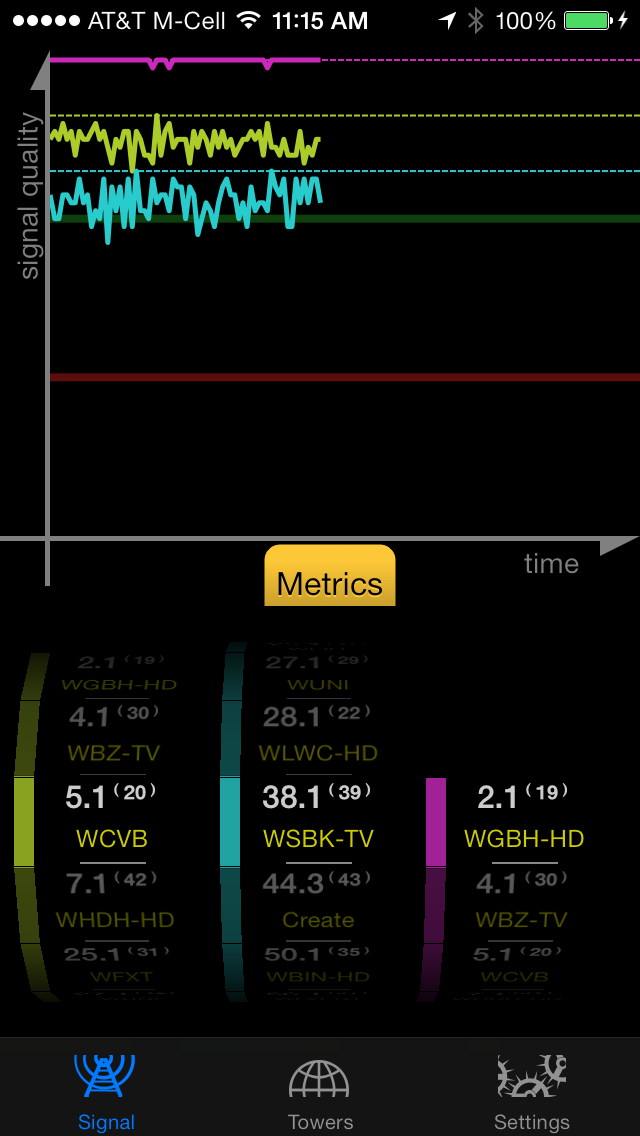

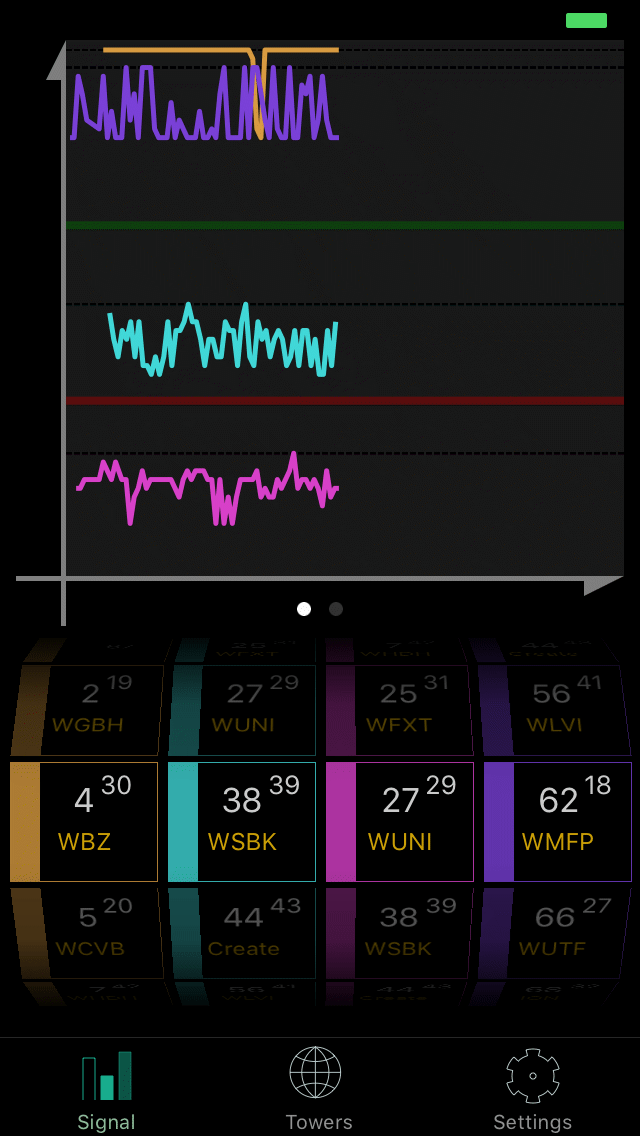
Signal GH 1.x (2013)


Signal GH 2.x (2016)


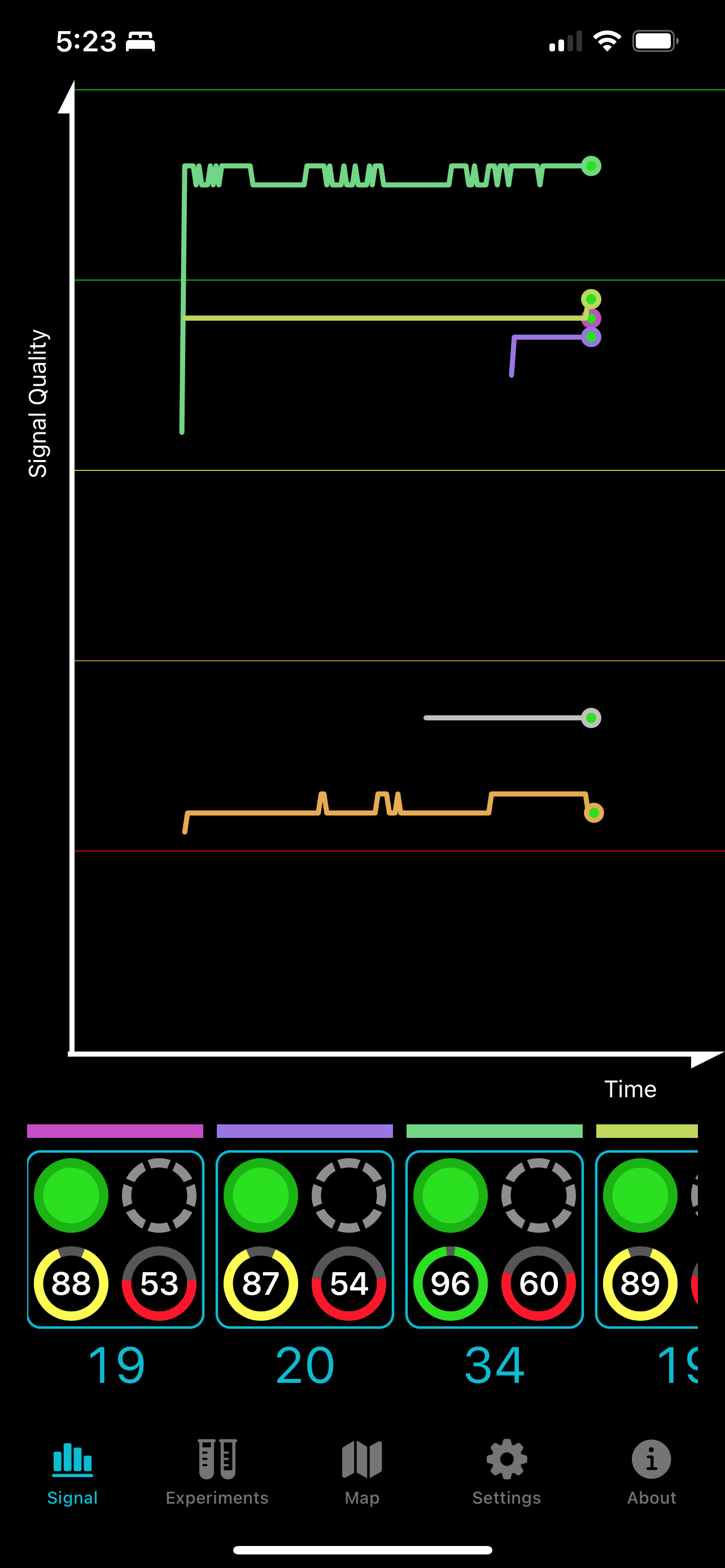
Signal GH 3.0 (2022)

The UI has been completely refreshed, except the map which wouldn't have benefitted from a SwiftUI replacement, with an emphasis on showing both graphs and meters simultaneously. And while I always loved the spinning wheel picker to choose the channel, one must admit it took up a disproportionately huge amount of screen space. Replacing it with a menu button was a huge win for showing more data and less chrome. Just tap on the digital channel number.
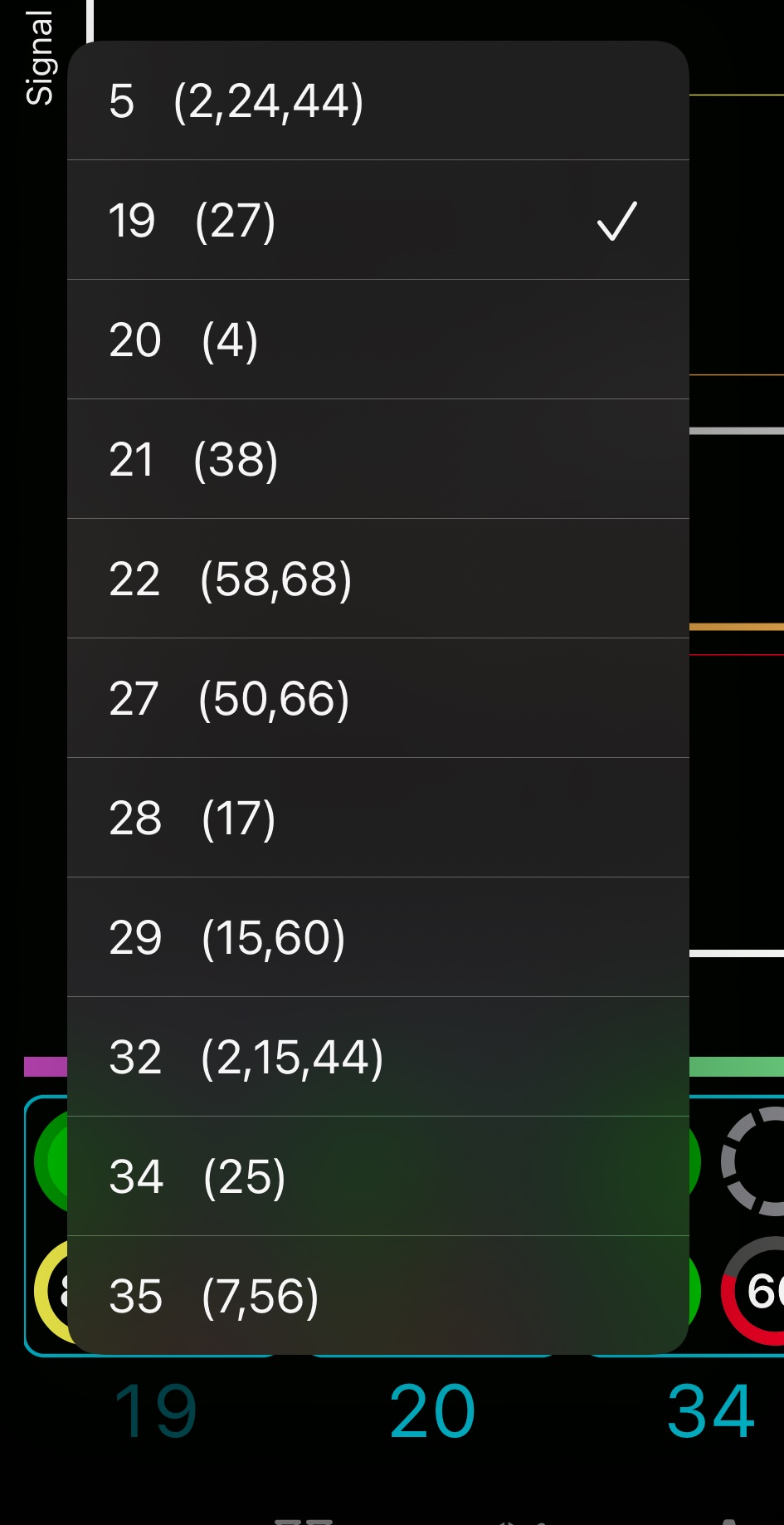
Menu of Digital Channels

Version 2 had featured wide bar graphs indicating signal quality and signal strength. 
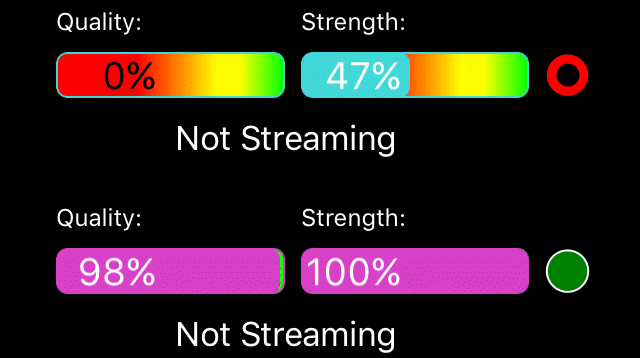
Signal GH 2.x's Bar Graphs

I always loved these bar graphs with their gradient backgrounds and individual colors. And patted myself on the back about how the numbers transitioned from white to black as the bar slid under them But they were bulky. I replaced them with the compact circular graphs, similar to the ones I see on the Apple Watch. 
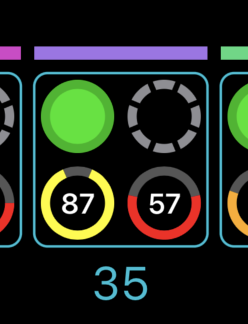
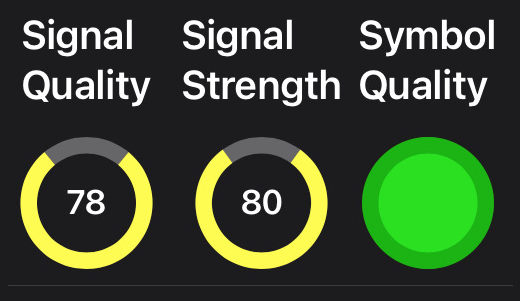
Signal GH 3.0's Meters

They are animated and colorful, and most of all take up minimal space. 

Both of these compacting moves lost instant discoverability. The old spinner was big, but at least, most people would recognize it as a channel selection control. The old bar graphs were wide, but at least there was plenty of room for labels. Now, users will have to learn that the bottom left circular graph is the signal quality indicator, and the bottom right is signal strength. Tapping on the meters brings up a summary view and that view has labels, so I hope most of them figure it out. 

The Tuner Detail Sheet

I rely heavily on the new action color—the sort of turquoise blue you see throughout these screenshots—being recognized as tappable. 

To try to help with discoverability, in a first for one of my apps, I included several pages of documentation under the info tab: written in SwiftUI, so it has tappable elements. Tapping on the channel menu button in the documentation actually brings up a channel selection menu. There are no screenshots.
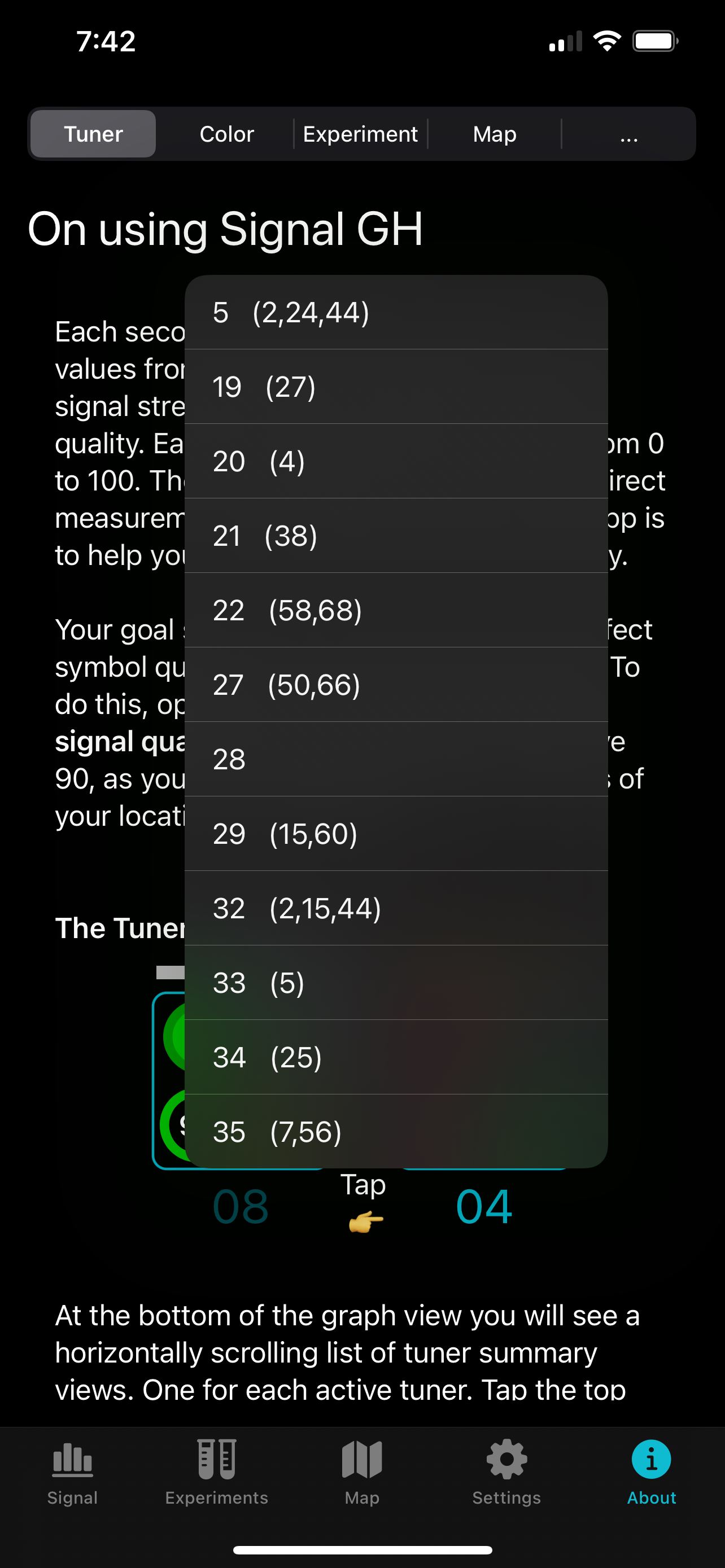
Live Tappable Documentation

When I Update Colors,
The SwiftUI Documentation Updates


I always wanted a bit of flair on the line graph, so the new one has an animated pulse circle that briefly appears when a new data point is added. 
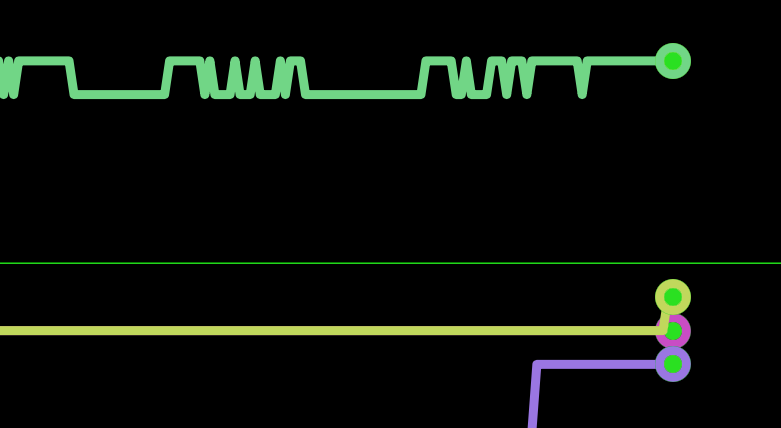
Pulsing Circle on Graph


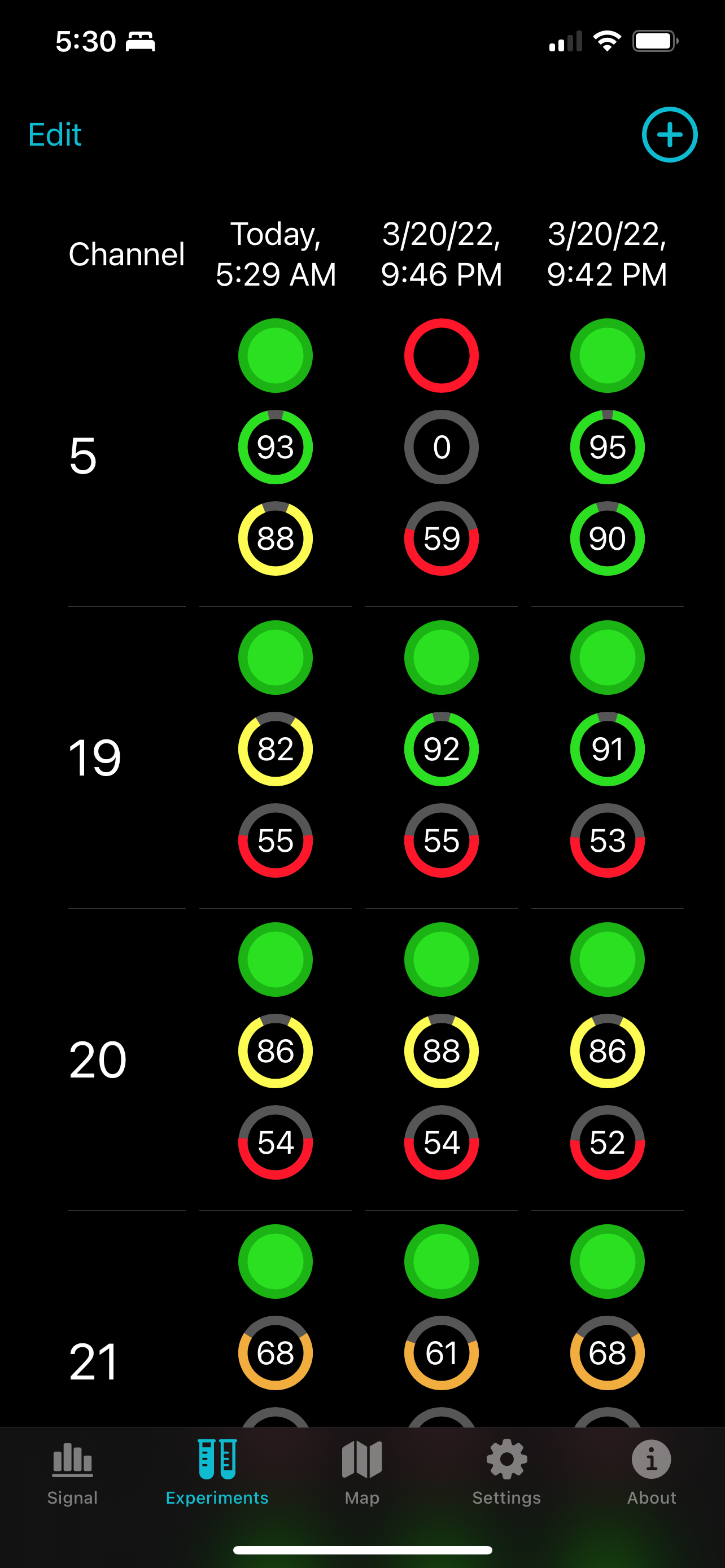
In a bid to help advanced users track changes in their system, there is an Experiments tab which scans all their chosen channels and stores the results. Helpful, is after all, my company's middle name.

Experiments Tab

Ran into a bit of a bug in SwiftUI here; the table wouldn't align to the left when there's only a few entries. And—I hope it's not making your eyes bleed—the need to use customary hazard colors made this tab garish. I've been thinking of putting out a Mac version, and this and its export function seem like an excellent Mac feature. 

The onboarding/settings views were an incredible amount of work to get where I wanted them. I had not liked the previous iteration. Particularly, the need for separate tabs to manually choose or automatically scan digital channels. And the previous progress was awkward and not descriptive. I ended up with a tall column of available digital channels which you could choose to manually add and scan. Or you could scan the entire ATSC range, or you could press a location button and I could add nearby towers from my database. The progress view is a massive improvement, much more descriptive about what's going on. This is tight on a 7th generation iPod touch, the smallest device that runs iOS 15, but it fits except the the labels above the Quality and Strength graphs which are truncated. And you can tell at a glance which channels are already reasonably optimized.
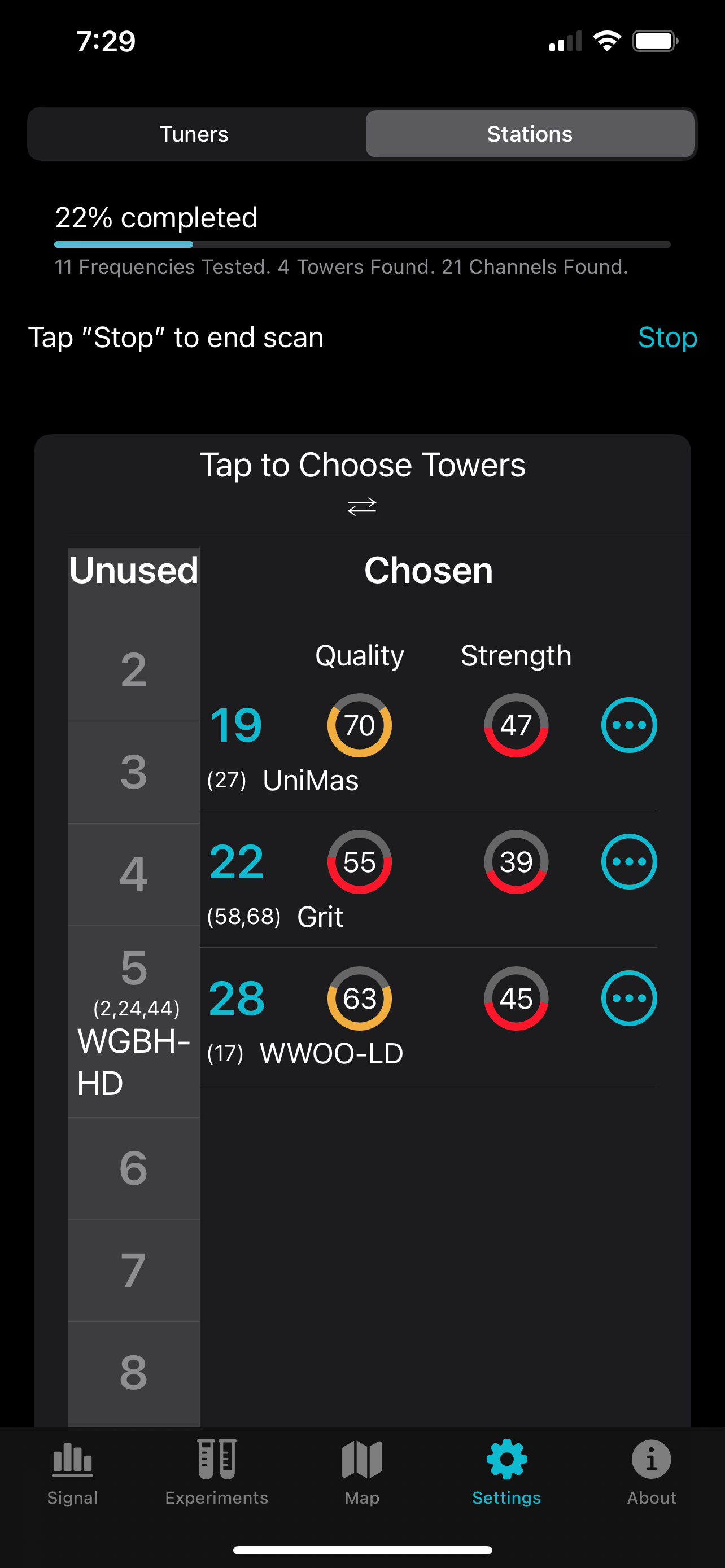
Settings/Onboarding


I took the opportunity to rewrite all the HDHomerun interface code in pure async/await Swift. The new actor type was of particular help wrapping the hdhomerunlib which is written in C and is particular about multiple threads trying to interface with the same tuner struct. Scanning multiple tuners simultaneously was pretty simple with an AsyncSequence. Should be extremely reliable. 

The ... button in the app brings up a channel summary sheet with live signal meters and I even display the program data from the tuner's data stream. Unfortunately, we don't have a NextGenTV ATSC 3.0 broadcaster here in southern New Hampshire, so I've gingerly added support for displaying and selecting ATSC 3.0 PLPs (the individual programs embedded in the data stream) with some help from beta testers, but they are still not working right, and is the main reason I haven't submitted it yet. 
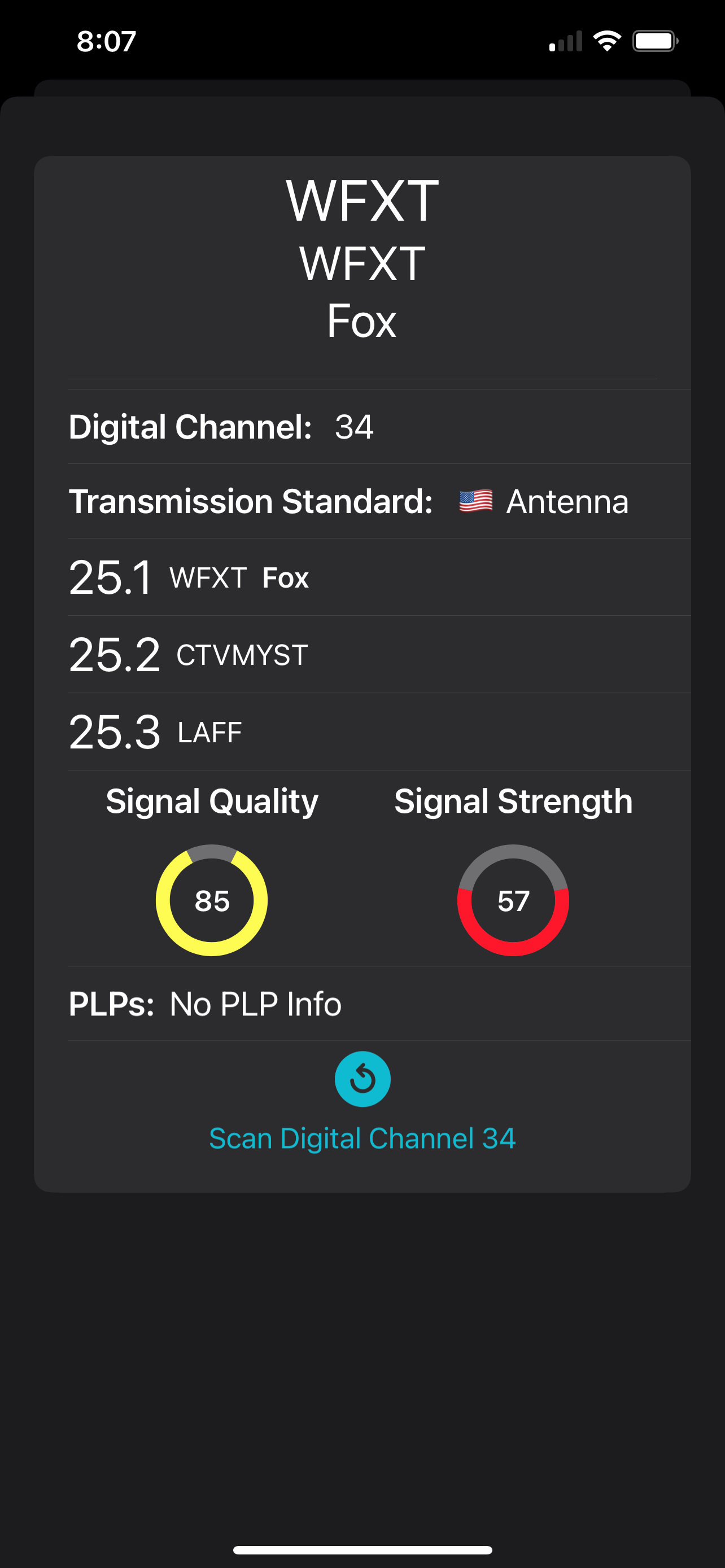
Channel Summary View
with Live Meters

The new icon—being by me—was typed by hand in SVG using BBEdit. I wanted to emphasize new elements to the app, so there's the circular graph, the pulsing line, dark mode, a new orange level of quality between yellow and red, all while retaining the idea of an old fashioned wire antenna wrapping a graph. It was a struggle keeping it from being overly garish. A hard thing to do for an app that communicates so much with color. In particular, the yellow of the line was the tuner color that pops the best on a dark background when the icon is small, the magenta I'd initially tried was much too muddy at tiny size. 
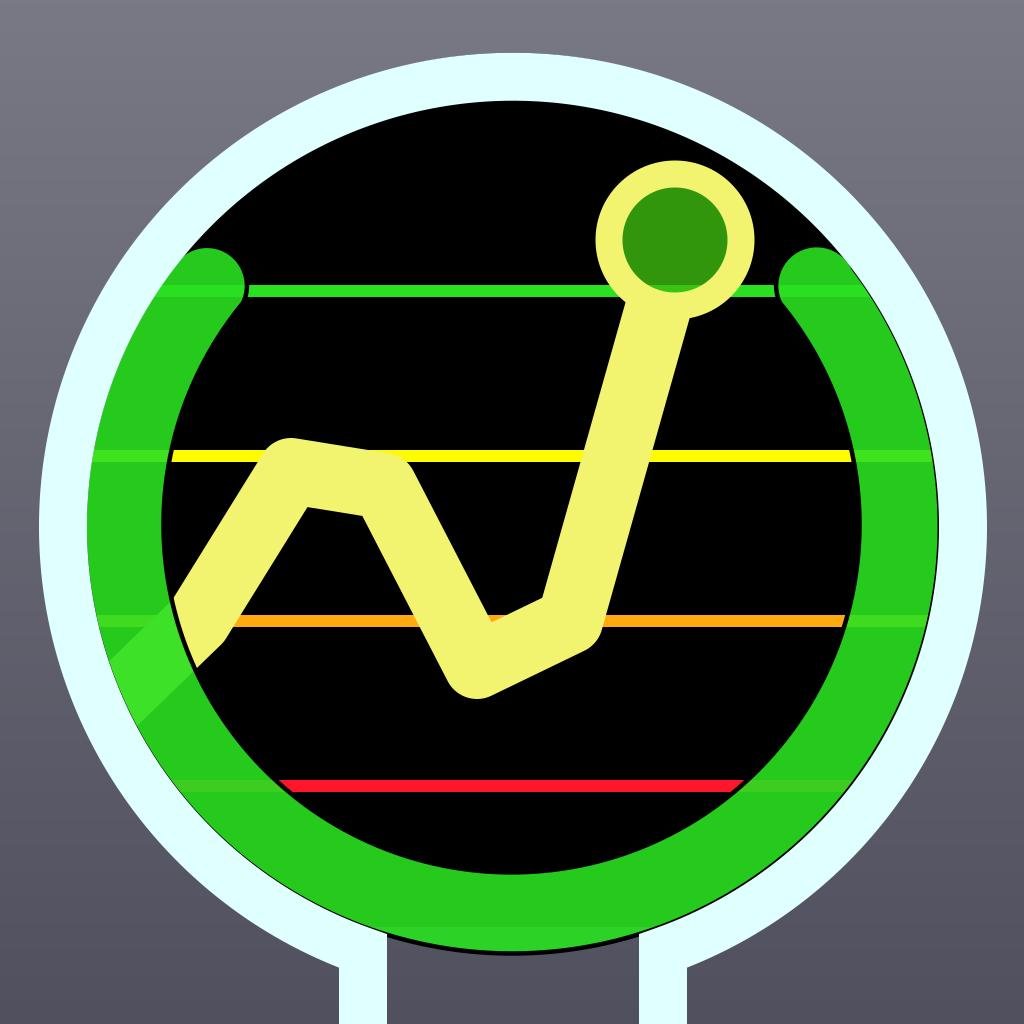
Signal GH's New Icon
Signal GH 3.0's New Icon

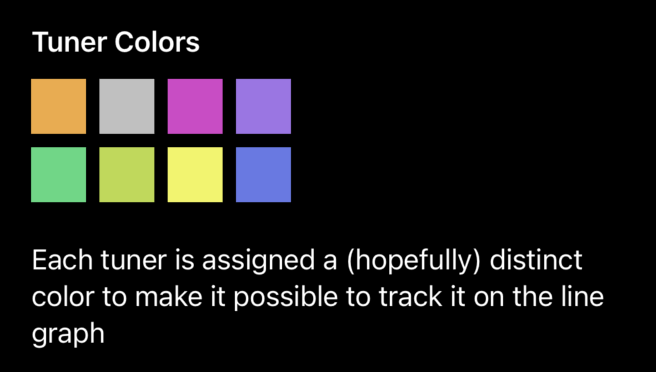
Actually, it's only an approximation as the yellow in the app is in the P3 space (yay modern displays) and really pops there where I can only use RGB hex in my SVG. Colors in general, got a refresh. I use different colors for each tuner, and it is hard picking out distinctive colors that look good in both dark and light mode, so I used XCAsset colors to define both light and dark variants. Choosing tuner colors reminds me of back in the day when I was writing karyotyping software and the biochemists needed dyes to stain every human chromosome a different color. You run out of distinct colors pretty fast. 

All the other static artwork—except for the map tab, and my app icons in the info tab—are standard SF Symbols. Yes, I'm not using hand crafted SVGs anymore. Which was great, flexible and highly recommended, although the only appropriate icon for the Experiments tab is the sort of lame test tubes. 

It was a great learning experience revamping this venerable old app, I just hope my users can accept a little change. 


Wednesday, February 25, 2009

Mythtv + HDHomerun + SheevaPlug : Connecting the Dots

Marvell just announced a 5 W Linux box with a USB 2.0 port and Gigabit ethernet, the SheevaPlug. This is a full Linux server with a 1.2 GHz processor in a box the size of a large wall wart power supply for a price of $79 US. Presumably any geeky person reading this has a dozen things they could do with such a product, and here is one: MythTV backend.


One of my problems with MythTV has been the old Pentium 4 Dell desktop I use as a backend. The monster draws upwards of 100 W. 24/7. Just to record 5 hours of TV a week and serve out videos.


Well look at what we can build now:
  • SheevaPlug 5W ($79)
  • HDHomerun 5W ($159) Dual HD TV Tuner
  • 1.5TB USB Hard Drive 10 W ($110)
  • 20 W for $348


The hard drive cost and the dual tuner are constants when building a MythTV system. I'm not counting the cost of an ethernet switch, as I assume most of us would have an extra port regardless. The major point is using a SheevaPlug for a MythTV backend would be much cheaper even then using a NetBook $250, and would very rapidly be cheaper than even re-using an old desktop $10/month electricity versus $0.50/month for just the SheevaPlug.


And it should be quiet.


On the down side, it would be useless as a frontend, and probably not up to the task of re-encoding videos.

Tuesday, September 23, 2008

How I Didn't Get Rich Via my iPhone App

I think we've all seen the stories about some guy in New Zealand making $6K a day for a Choplifter clone, or another fellow making $250K in two months reimagining Tetris. What you don't hear about are the flops. And I have a flop on my hands. My application to monitor over the air digital television signal quality, Signal GH has sold 10 copies. I had had no illusions that it would be a big seller; the target market is small at the intersection of iPhone owners and HDHomerun users; I just assumed there were a few thousand such people and they would all want my app.


Apparently not.


Unlike a lot of apps getting shoveled onto the App Store, Signal is competently coded; performs a useful service, launches quickly, doesn't leak, doesn't crash, and has only a smattering of bugs. Maybe prospective buyers would like to know this, but I have had no reviews so far.


Part of the problem was that Apple mistakenly lists its release date as the day I submitted it to them for testing, instead of the day they actually released it to the public, so I got no time on the front page of the Utilities page. And part is probably too high a price point, maybe $5 is just too much even for niche market apps. Again, I'm flying in the dark here because I've gotten zero feedback.


I also don't know where HDHomerun users hang out. The forums on Silicon Dust seem fairly low volume. Maybe if the HDHomerun were buggier, people would be filling their forums but dang it if the HDHomerun isn't the most reliable gadget on my network. And, I don't want to make commercial announcements on public forums anyway; nobody likes that sort of thing. I'm not a marketing wiz, I am a fairly good Mac coder.


Oh well, I only wasted a couple weeks of spare coding time. I've learned my lessons about targeting larger markets. I learned a thing or two about iPhone development, and hopefully my next post on the subject will be "How I Did Get Rich Via My iPhone App."

Thursday, August 28, 2008

Signal GH - iPhone App for the HDHomerun

[Update: It's finally in the iTunes App Store.]

I submitted my second iPhone application to the App Store this morning. Signal GH is a utility to monitor the signal quality of over the air television for American and Canadian users of the HDHomerun. I'm charging $4.99 for it, which seems a fair price given what a small market I'm targeting: the intersection of iPhone and OTA HDHomerun users. Anybody who's set a retail price knows how hard it is. And I'm sure there will be a lot of people giving me one star and claiming it should be free, or one star and claiming they didn't understand you needed an HDHomerun. Sorry guys, gotta send my son to day care, the requirements are right in the first sentence of the blurb.


The Silicon Dust engineers did a great job with their libHDHomerun API, anybody wanting to put out a C API should check it out for its use of the language, platform ambivalence, and object like characteristics. Of course, they then released it under LGPL, making me wait the last couple weeks for them to modify the license. But they did, and I promptly submitted.


Now just step back and let the pennies roll in.

Monday, November 19, 2007

HDHomerun Gets More And More Useful

[Update: check out Signal GH, an iPhone utility for monitoring the signal quality of an HDHomerun].

One of the best bits of tech I've bought over the last year is the HDHomerun networked digital HDTV tuner. I was reminded of this a couple of weeks ago, when I was going through the process of setting up a Mac Mini as a dual boot Leopard/Vista desktop.


The OEM copy of Vista Home Premium I picked up cheap at MicroCenter comes with Windows Media Center, which Silicon Dust supports for use with the HDHomeRun, so for no added cost, I get live TV watching with a guide, and recording. This is functionality I would not easily get otherwise, as there is no MythTV client for Vista, and I am not going to get an additional tuner for the Mini. It just happened I get all this for free because I happen to own an HDHomerun.


Not that I'm very impressed with Windows Media Center, at least not on the Mini. HD playback is a bit stuttery, unlike VLC on the same OS and hardware; and navigation is confusing. Also, there doesn't appear to be an integrated solution for using my Wiimote; Remote Buddy on the Mac spoils you for effortless couch potato style navigation. MCE does allow the same application to control both live TV viewing and DVD playback, whereas I have to switch off between EyeTV and Front Row on the Mac, but that is comparatively easy with Remote Buddy.


Another HDHomerun nicety is that EyeTV can Picture In Picture both HDHomerun tuners (again on the same hardware Vista MCE can barely decode 1 stream), allowing me to watch 2 HD football games simultaneously, which will be my preferred mode going forward. I like to watch football live, so EyeTV wins over MythTV, whose live TV support is always a bit cumbersome, and the PinP feature seals the deal.


Anyway, my main point is to emphasize the value one gets from a networked device. Because the HDHomerun is accessible from any computer in my house, any computer capable of decrypting an HD stream can use it. In my case, I have 3 computers (my MacBook, a Mac Mini, and my Linux server) and 3 operating systems (Leopard, Vista, Linux), each with their own strengths, sharing this resource.

Wednesday, July 25, 2007

HDHomeRun and EyeTV

[Update: check out Signal GH, an iPhone utility for monitoring the signal quality of an HDHomerun].
Cruising the AVS Forum Mac Home Theatre Forum I was gratified to see El Gato and Silicon Dust had come to together and done the obvious: bundle El Gato's best on platform EyeTV DVR software with Silicon Dust's networked HDHomerun high definition digital tuner.

This only makes sense, as El Gato no longer makes the closest approximation to the HDHomerun, the long lamented EyeTV 500 Firewire tuner with its support for digital over the air broadcasts and unencrypted cable streams. The HDHomerun can do both functions only better:
  • Two independent tuners
  • Shareable between computers
  • Placeable closer to roof antennas
  • Uses ubiquitous Ethernet port instead of specialized Firewire


If I were putting together a home theatre PC, the HDHomerun is the only ATSC/QAM tuner I would consider; it's just so much more flexible than something tied to a single computer.

Plus, using EyeTV with my HDHomerun cost nothing extra. I already owned a copy of EyeTV 2 and El Gato tech support gave me a link to the 2.4.2 update for free. New purchasers of a HDHomerun can get an EyeTV bundle for $200, meaning El Gato is charging $30 for a two seat license above the $170 price for just the HDHomerun.

The first problem was figuring out I had to run the Setup Assistant from the Help menu so EyeTV could find the HDHomerun; which it quickly did; and it immediately came up streaming 2 digital channels in separate windows. Then I had it search for available channels which took over an hour—812 frequencies @ 5 seconds each—using the exhaustive option. It found 15 digital sub-channels in my area, which is a bit low; but it is the height of summer and tree leaves down the street block my path to the Boston antenna farm. A later quick search found 12 channels, so the exhaustive search may be worth it. It would be nice if it would just take the information from my TitanTV account. Maybe El Gato could speed this up by using both tuners. A second exhaustive scan the next morning found 19 sub-channels.

At this point, I could watch TV, in fact, I could watch 2 separate TV streams at once on my MacBook, with sound from the frontmost stream. Not that I would make a habit of doing so; the combined effort of decoding 2 1080i streams into half sized windows takes 175% of a core, leaving a measly 25% to do anything else. Also, I was reminded of EyeTV's annoying habit of resizing the window every time a standard definition commercial comes on. Remember to fix the ratio at 16:9.

As I can watch HD from my MythTV via my home's 802.11g network, I was hoping to watch live TV direct from the HDHomerun over wireless, but this brought sputtering, stopping, and ugliness; El Gato should improve EyeTV's behavior over an unreliable network. Still, I have the whole house wired with Cat-6 Ethernet cable, so I have some flexibility.

EyeTV allows you to update the firmware to the HDHomerun quite easily. Much more easily than manually downloading the firmware and flashing the device with the HDHomerun's Windows utility. This is typical of EyeTV's nearly painless experience. EyeTV is the best I've seen at live TV viewing, and I've tried MythTV, VLC and SageTV (on the PC). I haven't tried it's DVR functionality, because I actually use my MacBook, and can't devote it to the task; if and when I get a Mac Mini for the TV room, I will give it a try. I just wish there was something to watch in the summer; I've 3 tuners in the house and nothing to see.