No sooner had I assembled a mini home theater PC for the TV room, but Amazon Vine offered me a Zotac MAG HD-ND01-U which is basically the same thing in a more appliance oriented packaging.
The guts of my original HTPC will now be moving into the house's new Linux/MythTV server: add a large hard drive, a cheap DVD drive and a larger case. This is going to save me a lot of electricity. A Pentium 4 is a pretty poor choice for a lightweight server, and is now draining over $10 of power a month; the new Atom based server should draw less than a third as much energy and maybe less, as I'm hoping the more modern design will have better idle characteristics. I'll save quite a bit of money in the long run in mothballing my old Dell. And the new Atom/Ion motherboard should be fine for serving the occasional file and recording TV shows.
2.0 GHz Pentium 4 + hard drive + external hard drive = 110 W (or so) at idle
Atom N330 + laptop drive + sleeping hard drive = 25 W idle
If I pay a dollar for ever 10W per month then I'm saving around $8 a month or $96 a year, so the added $180 I'm spending will be paid for in 2 years (or in 4 years if I had had to buy a motherboard and RAM). And I'll have a quiet server that isn't annoying me constantly with its fan.
[Update: It's so pleasantly quiet in my laundry room today. Just have to migrate the svn server on the little NAS to the new server and it's going to be so peaceful in the basement.]
Wednesday, March 24, 2010
Tuesday, March 09, 2010
Holding onto Legacy PCI Cards is Limiting
After the happiness of putting together an NVidia Ion HTPC for the TV room, I've been looking at replacing the Linux server in the laundry room. It's a typical noisy, energy hog of a Pentium 4 Dell, non-gigabit ethernet, with multiple hard drives either inside it or in an external case. I'd like to replace it with a low power, quiet, modern model. I could collapse my MythTV backend, SVN server, and file server, into one box and save on the order of $15/month in electricity. So, I'd like to move to something like:
The fly in this ointment is that I have a ATSC tuner on a PCI card in the current box (a very reliable PCHDTV 3000), and getting a mini-ITX Ion with a PCI slot is limiting. As far as I can tell, it is limited to one motherboard: the ASUS AT3N7A-I. And anytime I see customer reviews that include such tidbits as "noisy fan" or "uses more energy than other Ion motherboards" I start wishing for other options.
And the other option is to go with another network tuner. I already have one HDHomerun which along with my PCI tuner gives me the capacity to record three simultaneous shows on the rare days when that's a good thing. Replacing the PCI version with another HDHomerun would open up a larger world of Ion or Atom motherboards with more modern card slots. I even see that Silicon Dust has recently released an economy single tuner model which can be had from newegg for $81.97 shipped. And this will keep the new server cooler and quieter, as well as having another tuner Windows Media Center on my wife's computer can access. Win, win, win.
- Dual core Intel Atom N300 processor
- Ion chipset
- Small SSD boot drive
- Large (1.5 or 2.0TB) Green Drive
- 2 GB RAM
- mini-ITX form factor
The fly in this ointment is that I have a ATSC tuner on a PCI card in the current box (a very reliable PCHDTV 3000), and getting a mini-ITX Ion with a PCI slot is limiting. As far as I can tell, it is limited to one motherboard: the ASUS AT3N7A-I. And anytime I see customer reviews that include such tidbits as "noisy fan" or "uses more energy than other Ion motherboards" I start wishing for other options.
And the other option is to go with another network tuner. I already have one HDHomerun which along with my PCI tuner gives me the capacity to record three simultaneous shows on the rare days when that's a good thing. Replacing the PCI version with another HDHomerun would open up a larger world of Ion or Atom motherboards with more modern card slots. I even see that Silicon Dust has recently released an economy single tuner model which can be had from newegg for $81.97 shipped. And this will keep the new server cooler and quieter, as well as having another tuner Windows Media Center on my wife's computer can access. Win, win, win.


Tuesday, February 23, 2010
Could Apple Transition to Using iPhone Apps as Safari Plugins?
I've been knee deep in trying to keep an old style NPAPI (Netscape) plugin working under Snow Leopard, and believe me it is not easy. And one of the reasons it is not easy is that Apple has used the 64-bit transition to lock down what an NPAPI plugin can do and when it can do it. No longer are we allowed to do things like bring up our own windows, draw whenever we feel like it, create our own timers, track our own mice and generally do things the easy way; we have to live in the browser and follow the browser's rules.
I refer you to the Web Plugin Programming Topics Guide
It goes on to enumerate a large number of new restrictions on how plugins are supposed to operate in their new out of process home. At this point, it becomes pretty hard to justify using a NPAPI style plugin for any but the simplest plugin for Safari; it is just too strangling. So the mind turns to WebKit plugins which are basically Cocoa NSViews with a few limitations and added message handlers. As the quote above says they are not (at present) limited in such a way as Netscape plugins; in this way Apple is nudging people to use WebKit plugins if for no other reason that they allow you to do things that the NPAPI plugin do not.
And here we come to the idea for this posting, it seems as though Apple is interested in locking down and rationalizing Safari plugins. It is also reasonable that at sometime in the future, they will allow plugins for Safari on the iPad. It is also almost a given that those plugins will not be NPAPI style plugins, but will instead be UIView or UIViewController derivatives. And at that point, the question becomes, wouldn't the UIView style plugin with its simpler and more modern object design make a cleaner foundation for plugins for Safari on the Mac? Apple already has an iPhone simulator on the Mac. Of course, there would have to be some extension allowing mouse hovering events.
Anyway, just a thought.
I refer you to the Web Plugin Programming Topics Guide
Beginning in Mac OS X v10.6, on 64-bit-capable computers, Netscape-style plug-ins execute in an out-of-process fashion. This means that each Netscape-style plug-in gets its own process separate from the application process. This design applies to all Netscape-style plug-ins. It does not apply to WebKit plug-ins, nor at present to WebKit-based applications when running in 32-bit mode.)
It goes on to enumerate a large number of new restrictions on how plugins are supposed to operate in their new out of process home. At this point, it becomes pretty hard to justify using a NPAPI style plugin for any but the simplest plugin for Safari; it is just too strangling. So the mind turns to WebKit plugins which are basically Cocoa NSViews with a few limitations and added message handlers. As the quote above says they are not (at present) limited in such a way as Netscape plugins; in this way Apple is nudging people to use WebKit plugins if for no other reason that they allow you to do things that the NPAPI plugin do not.
And here we come to the idea for this posting, it seems as though Apple is interested in locking down and rationalizing Safari plugins. It is also reasonable that at sometime in the future, they will allow plugins for Safari on the iPad. It is also almost a given that those plugins will not be NPAPI style plugins, but will instead be UIView or UIViewController derivatives. And at that point, the question becomes, wouldn't the UIView style plugin with its simpler and more modern object design make a cleaner foundation for plugins for Safari on the Mac? Apple already has an iPhone simulator on the Mac. Of course, there would have to be some extension allowing mouse hovering events.
- Advantages
- Code sharing between Mac and iPad
- Plugins are closer in scope to iPhone Apps then full blown Mac apps.
- At this point most Objective-C programmers are iPhone developers so developer pool would be larger
- Expand iPhone apps to the Mac
- iPhone Apps are used to being sandboxed
Anyway, just a thought.
Thursday, February 18, 2010
Inexpensive Ion HTPC
As I want to improve my free MythTV remote, and I needed to "eat my own dog food", I decided to build a HTPC box for the TV room to run the MythTV frontend. I'd been interested for a while in a small, low power PC based around the Nvidia Ion chipset. A little research indicated the board to get was the Zotac IONITX-A-U as it:
The most important feature was quiet, with the related property of energy efficiency. There are many cheap PCs out there, but few can play 1080i MPEG2 videos while draining 31 Watts.

I put in 2GB of RAM which allowed me to configure the BIOS to set aside half a gig for video memory. I removed the included wireless card, as I have Gigabit ethernet in my TV cabinet, and there's no reason to waste whatever minimal energy would be used by the card. Threw in a 60 GB laptop drive I had from a few MacBooks ago, and put it in a small case. The hardest part of installing MythBuntu 9.1 64-bit, was scrounging up an external optical drive. So, all in all a very easy thing to put together.
It works fairly well. I've put my children's DVD collection on a network share and use MythVideo to watch that and recorded TV shows. Since this was my first real standalone MythTV frontend, I had to rejigger my video setup such that both the backend and frontend used both the same relative paths to videos and movie posters (both Linux boxes have paths of the form /mnt/MyNAS/MyVideos and /mnt/MyNAS/MyPosters). Once this was all setup, it's extremely convenient having a kid's movie a few touches away. I had read complaints about the fan needing to be run at a lower speed, but I really can't hear it from the couch.
My old LCD TV is impossible to get the VGA just right (no surprise that) so I have a two inch black bar on the right of the display, but I'll be moving to use the DVI port as soon as Monoprice gets me an HDMI switch.
It's interesting as a Mac guy seeing this little DIY assembly. On the one hand, it's pretty inexpensive and I wouldn't want to waste a Mac on single purpose computing. On the other hand, it's pretty darn cheap. Here's a photo comparing a older generation Mac Mini with my system.

The Mini is definitely a superior computer in terms of build quality. The M350 case is nice enough, but it is still ill fitting sheet metal, and the ports still wiggle and flex when you try to push a connector in. In comparison, the Mini is just rock solid, and smaller while still having a faster processor and an optical drive. And it's a darn sight more attractive. On the other hand, the Zotac has a ton of extra ports, including a variety of internal SATA and USB connectors. Different needs.
Cost:
- Came in a compact, mini-ITX form.
- Has the 64-bit capable dual core Atom 330N processor
- Has multiple output ports including VGA, HDMI for video and SPDIF coax and TOSLink optical for audio, amongst others.
- Gigabit Ethernet
- External power supply to keep the heat out of the case.
The most important feature was quiet, with the related property of energy efficiency. There are many cheap PCs out there, but few can play 1080i MPEG2 videos while draining 31 Watts.
I put in 2GB of RAM which allowed me to configure the BIOS to set aside half a gig for video memory. I removed the included wireless card, as I have Gigabit ethernet in my TV cabinet, and there's no reason to waste whatever minimal energy would be used by the card. Threw in a 60 GB laptop drive I had from a few MacBooks ago, and put it in a small case. The hardest part of installing MythBuntu 9.1 64-bit, was scrounging up an external optical drive. So, all in all a very easy thing to put together.
It works fairly well. I've put my children's DVD collection on a network share and use MythVideo to watch that and recorded TV shows. Since this was my first real standalone MythTV frontend, I had to rejigger my video setup such that both the backend and frontend used both the same relative paths to videos and movie posters (both Linux boxes have paths of the form /mnt/MyNAS/MyVideos and /mnt/MyNAS/MyPosters). Once this was all setup, it's extremely convenient having a kid's movie a few touches away. I had read complaints about the fan needing to be run at a lower speed, but I really can't hear it from the couch.
- Energy usage measured via Kill-A-Watt
- Idle Running MythTV Frontend: 25W
- Playing DVD Image: 26W
- Playing 720p MPEG2 (recording of 24 on Fox): 28W
- Playing 1080i MPEG2 (Big Bang Theory on CBS): 31W
My old LCD TV is impossible to get the VGA just right (no surprise that) so I have a two inch black bar on the right of the display, but I'll be moving to use the DVI port as soon as Monoprice gets me an HDMI switch.
It's interesting as a Mac guy seeing this little DIY assembly. On the one hand, it's pretty inexpensive and I wouldn't want to waste a Mac on single purpose computing. On the other hand, it's pretty darn cheap. Here's a photo comparing a older generation Mac Mini with my system.
The Mini is definitely a superior computer in terms of build quality. The M350 case is nice enough, but it is still ill fitting sheet metal, and the ports still wiggle and flex when you try to push a connector in. In comparison, the Mini is just rock solid, and smaller while still having a faster processor and an optical drive. And it's a darn sight more attractive. On the other hand, the Zotac has a ton of extra ports, including a variety of internal SATA and USB connectors. Different needs.
Cost:
- Motherboard: $185
- RAM: $45
- Case (with Shipping): $50
- Hard Drive: Free
- --------------
- Total: $280
Monday, February 01, 2010
A Cell Phone Game for Children
I was playing hide and seek with my 2 and 3 year olds, and came up with this variation.
2)Have someone hide the phone in another room.
3)Let the child try and find it by yelling into his phone.
Requirements
2 Cell phones, one of which with a speaker phone mode.Instructions
1) Call the phone with the speaker phone mode, answer and put it in speaker mode.2)Have someone hide the phone in another room.
3)Let the child try and find it by yelling into his phone.
Tuesday, December 22, 2009
Get the PSD Files From Your Graphic Artists
If you hired a coder to write an iPhone app, you would expect the source code along with a delivered binary. Similarly, if you hire a graphic artist, you want their source files along with a finished bitmap file. In my experience, most graphic artists use Photoshop, which means they do their editing with PSD (Photo Shop Document) files, and will export out a TIFF, PNG or JPEG as needed. You never want to edit and re-compress a PNG or JPEG and you rarely want to edit a TIFF. Which means, if you want to re-use a graphic for another purpose, you need those PSD files, or whatever file formats are native to their editing software.
Let's say I had contracted with a third party to design my beautiful company logo.

Great.
Now two years later I need a version without the fake glassy front. If I have the original, this takes the time it takes for me to launch PhotoShop Elements, uncheck a box next to the "glassy button" layer, and export the result to web.

If I only have the PNG file, I'm basically out of luck if I can't get ahold of the artist and will have to have someone else redraw the logo from scratch.
And not only should the PSD files be in your possession, they should be in your source control system, along with all the other critical changeable items you've spent so much time and money creating.
I've been in a situation where I have literally 100 toolbar icons in PNG form and I have no easy way to make a bigger size because the outsource artist has consistently neglected to deliver the original files. Frustrating.
Also, once you have the PSD files, have a look and see if they are well organized with ample use of layers, and layer naming. Maybe, there is no way to turn off the glass button by hitting the hide layer checkbox, maybe there is only one layer, and the artist is incompetent. Maybe that's why you had to ask.
An Example:
Let's say I had contracted with a third party to design my beautiful company logo.
Great.
Now two years later I need a version without the fake glassy front. If I have the original, this takes the time it takes for me to launch PhotoShop Elements, uncheck a box next to the "glassy button" layer, and export the result to web.
If I only have the PNG file, I'm basically out of luck if I can't get ahold of the artist and will have to have someone else redraw the logo from scratch.
And not only should the PSD files be in your possession, they should be in your source control system, along with all the other critical changeable items you've spent so much time and money creating.
I've been in a situation where I have literally 100 toolbar icons in PNG form and I have no easy way to make a bigger size because the outsource artist has consistently neglected to deliver the original files. Frustrating.
Also, once you have the PSD files, have a look and see if they are well organized with ample use of layers, and layer naming. Maybe, there is no way to turn off the glass button by hitting the hide layer checkbox, maybe there is only one layer, and the artist is incompetent. Maybe that's why you had to ask.
Tuesday, December 15, 2009
MythBuntu 9.10 Quickly Dying Due to missing PCHDTV firmware
So, I have been pretty unhappy with my MythTV for the last week, as something was seriously wrong with it. It would work for a while and then performance would collapse to the point I couldn't even SSH into it. Apparently, there was a massive memory leak, and the swap became exhausted resulting in the kernel doing nothing but try to find a few extra bytes.
This was after I pushed the button to upgrade to 9.10. And if there is anything I less want to do is spend more time tweaking Linux.
Anyway, I took a few minutes this morning to look through /var/log/messages and found it was jam packed with:
Googling "Cannot find firmware file" dvb gave me this forum post which very helpfully gave the proper command line solution:
Now, as to whether a missing firmware to a tuner card should bring a linux distribution to a halt is another thing entirely.
This was after I pushed the button to upgrade to 9.10. And if there is anything I less want to do is spend more time tweaking Linux.
Anyway, I took a few minutes this morning to look through /var/log/messages and found it was jam packed with:
...
Dec 14 06:53:40 MythTV kernel: [25073.152929] or51132: No firmware uploaded(timeout or file not found?)
Dec 14 06:53:40 MythTV kernel: [25073.653032] or51132: Waiting for firmware upload(dvb-fe-or51132-vsb.fw)...
Dec 14 06:53:40 MythTV kernel: [25073.653042] cx8800 0000:02:0c.0: firmware: requesting dvb-fe-or51132-vsb.fw
Dec 14 06:53:41 MythTV kernel: [25073.902202] or51132: No firmware uploaded(timeout or file not found?)
Dec 14 06:53:41 MythTV firmware.sh[23812]: Cannot find firmware file 'dvb-fe-or51132-vsb.fw'
Dec 14 06:53:41 MythTV kernel: [25074.401098] or51132: Waiting for firmware upload(dvb-fe-or51132-vsb.fw)...
Dec 14 06:53:41 MythTV kernel: [25074.401109] cx8800 0000:02:0c.0: firmware: requesting dvb-fe-or51132-vsb.fw
Dec 14 06:53:41 MythTV firmware.sh[23823]: Cannot find firmware file 'dvb-fe-or51132-vsb.fw'
Dec 14 06:53:41 MythTV kernel: [25074.780264] or51132: No firmware uploaded(timeout or file not found?)
Dec 14 06:53:42 MythTV kernel: [25075.281031] or51132: Waiting for firmware upload(dvb-fe-or51132-vsb.fw)...
Dec 14 06:53:42 MythTV kernel: [25075.281042] cx8800 0000:02:0c.0: firmware: requesting dvb-fe-or51132-vsb.fw
Dec 14 06:53:42 MythTV firmware.sh[23839]: Cannot find firmware file 'dvb-fe-or51132-vsb.fw'
Dec 14 06:53:42 MythTV kernel: [25075.503654] or51132: No firmware uploaded(timeout or file not found?)
Dec 14 06:53:43 MythTV kernel: [25076.001099] or51132: Waiting for firmware upload(dvb-fe-or51132-vsb.fw)...
Dec 14 06:53:43 MythTV kernel: [25076.001110] cx8800 0000:02:0c.0: firmware: requesting dvb-fe-or51132-vsb.fw
Dec 14 06:53:43 MythTV kernel: [25076.266695] or51132: No firmware uploaded(timeout or file not found?)
Dec 14 06:53:43 MythTV firmware.sh[23850]: Cannot find firmware file 'dvb-fe-or51132-vsb.fw'
...
Googling "Cannot find firmware file" dvb gave me this forum post which very helpfully gave the proper command line solution:
sudo apt-get install linux-firmware-nonfreeNow my MythTV can go 20 minutes without grinding to a halt.
Now, as to whether a missing firmware to a tuner card should bring a linux distribution to a halt is another thing entirely.
Saturday, December 05, 2009
MythBuntu upgrade and mythcommflag killing my MythTV
So, I pushed the button and upgraded the MythBuntu box in the basement, and bad things happened. Oh, the new MythTV interface is lovely. But the box became utterly non-responsive. Turns out that the server had spun up 4 instances of the commercial flagging process and each was taking one quarter of the CPU. And I don't even care if my commercials get flagged or not. Anyway, went into mythtv-setup and turned off commercial flagging, and things got a whole lot better.
How Not to Ask For A Feature
"best RDP" reviews my Signal GH iPhone app for HDHomerun
First of all, the "they" is me, Glenn Howes—father of two, husband, software engineer, PhD Chemist, and occasional iPhone developer. I have made a grand total of $392.05 on this app, yet still found the time to release 2 updates to it when it made absolutely no monetary sense to do so. My work is not junk, it is of the highest engineering quality I could make it. I've spent hours tracking down bugs, ran static analysis of the code, put the executable through performance instruments for memory allocations and performance, and optimized the launch time. I did this when I had other paying projects waiting my time because I like this little app and I want it to be as perfect as I can make it.
It just lacks a feature you desire, a feature which is neither promised nor implied by the product description in iTunes. If you had e-mailed me requesting this feature, I would have seriously considered including it even though an app, who's primary function is monitoring antenna signal quality is not going to be very interesting looking at digital cable traffic. Now, I'm not inclined to add this feature, and you have only your bad social skills to blame.
Title: "piece of junk"
Body:"This thing is worthless until they add QAM cable scanning capabilities."
First of all, the "they" is me, Glenn Howes—father of two, husband, software engineer, PhD Chemist, and occasional iPhone developer. I have made a grand total of $392.05 on this app, yet still found the time to release 2 updates to it when it made absolutely no monetary sense to do so. My work is not junk, it is of the highest engineering quality I could make it. I've spent hours tracking down bugs, ran static analysis of the code, put the executable through performance instruments for memory allocations and performance, and optimized the launch time. I did this when I had other paying projects waiting my time because I like this little app and I want it to be as perfect as I can make it.
It just lacks a feature you desire, a feature which is neither promised nor implied by the product description in iTunes. If you had e-mailed me requesting this feature, I would have seriously considered including it even though an app, who's primary function is monitoring antenna signal quality is not going to be very interesting looking at digital cable traffic. Now, I'm not inclined to add this feature, and you have only your bad social skills to blame.
Wednesday, November 18, 2009
My Unibody MacBook had Been Grinding to a Halt
I'm used to my Macs being reliable; of going months between forced restarts. And yet, two weeks ago, I found myself restarting my unibody MacBook a couple times an hour. Apps would just lock up with the spinning disk cursor, and I'd go to another app and it would soon lock up to. I associated this with something fairly disk intensive, like doing a Spotlight search, and I found that if I avoided Spotlight things would be OK most days. I tried rebuilding the Spotlight database, reinstalling 10.6.0, upgrading to 10.6.2, etc., with no help.
Finally, under the working theory something was wrong with my 500 GB Western Digital Scorpio Blue drive, I ordered and installed a new 640 GB Western Digital Scorpio Blue drive. And this worked. I don't know if it was the hardware or the completely clean install or the act of reinserting the drive, but it worked and my Mac is back to its normal reliable self. And I've got more disk space than I know what to do with. I learned my lesson a few years back about waiting for a hard drive to fail; I no longer give them a second chance at catastrophe.
This might be the last mechanical hard drive I ever buy for a laptop. SSD capacities are overtaking mechanical, and I would certainly pay $300 for a 512 GB SSD of reasonable read and write throughput. Maybe this time next year.
Finally, under the working theory something was wrong with my 500 GB Western Digital Scorpio Blue drive, I ordered and installed a new 640 GB Western Digital Scorpio Blue drive. And this worked. I don't know if it was the hardware or the completely clean install or the act of reinserting the drive, but it worked and my Mac is back to its normal reliable self. And I've got more disk space than I know what to do with. I learned my lesson a few years back about waiting for a hard drive to fail; I no longer give them a second chance at catastrophe.
This might be the last mechanical hard drive I ever buy for a laptop. SSD capacities are overtaking mechanical, and I would certainly pay $300 for a 512 GB SSD of reasonable read and write throughput. Maybe this time next year.
Monday, November 16, 2009
When the Books are Free - Amazon Vine
A few months ago, I noticed an invitation to join Amazon Vine program on my Amazon front page. I clicked on it, realized it wasn't a scam and signed up. And now I get 4 free things a month; from a limited catalog of newly released products. Mostly books are available, but I've also received software and iPod accessories. All I have to do is review three fourths of what I get and I stay in good standing.
It is awesome getting free stuff. The Phillips iPod dock/CD Player/Radio in the kitchen is sweet. But that is the exception, only the quickest get gadgets, and most of the time I have a choice between books and nothing. And getting a free book is hardly a bargain: It takes hundreds of dollars of my time to read, and I don't have the universe of books to pick from, I have whatever is in the newsletter, so I have to be picky and choose only titles which are of use—a book on business law for my wife's business—or of interest—a book on how to draw dinosaurs and aliens.
One nice thing is the motivation to read; to keep up my 75% review rate. It isn't often I read 3 books in 2 months. I just wish they offered more books about software engineering and fewer about adolescent vampires (or whatever constitutes juvenile fiction).
Amazon gets value from me. Under the theory I'll get offered items similar to things I buy or review, I bought a laptop hard drive from Amazon rather than Newegg; and I've been making sure to review anything that moves to push up my ranking. Just passed into the top 3000 woo hoo..
As to whether I'm unbiased about products I'm given to hold on to (I can't resell them), I think I'm OK. I certainly have a happy feeling about being given something nice, but on the other hand, a mediocre book is such a pain to trudge through, and a junky alarm clock just takes up space. So far, I've given out a variety of star ratings, pretty much in line with things I've purchased with my own dimes; maybe a bit lower as at least when I buy something on my own I have some expectation it will be of high quality.
Anyway, when you see the "Vine Voice" badge on a review on Amazon, you'll know it's somebody like me; just an ordinary consumer who likes to write reviews and lucked into getting free stuff.
Tuesday, November 10, 2009
When Apple Doesn't Follow It's Patterns: UIScrollView
A comment in UIScrollView.h
// override points. default is to call touch methods on the content subview. if -touchesShouldCancelInContentView: returns NO in order to start dragging after we have started tracking the content view, we don't drag and continue to feed events to the content subview. if -touchesShouldBegin:withEvent:inContentView: returns NO, we don't send events even if we don't drag
So basically, if you want to modify the behavior of how a UIScrollView drags, you need to create a subclass. Fine, that's basic polymorphism, but it isn't the way most UI behaviors are changed in Cocoa on the iPhone. Typically, behaviors are changed by the use of delegate objects, and there already is a UIScrollViewDelegate interface defined. It's not clear to me why touchesShouldBegin:withEvent:inContentView and touchesShouldCancelInContentView were not just added to the delegate.
Why is this important? Well first of all, one of the joys of Cocoa programming on the iPhone is that the object model tends to be more consistent then desktop Cocoa. Everything fits together, and you know where to look for the hook which allows you to customize your app's behavior.
Secondly, I think Apple was right to choose the delegate model over object subclassing. It's less fragile, in that you are less likely to rely on the original object's behavior being constant. And some Cocoa objects are basically impossible to subclass; for instance UIButton cannot be subclassed because it isn't a "real" object. And from a coding point of view, the delegate solves both the problem of changing behavior and intercommunicating between objects.
So, when you see a comment like the above, it sticks out like a sore thumb in what is normally a disciplined and consistent API.
Monday, November 02, 2009
New Version of Signal GH
Apple has sent me a notice that version 1.1.3 of Signal GH—my iPhone app to get the signal quality of OTA TV broadcasts with an HDHomerun—is available for download. There's nothing flashy about this release, just a variety of bug fixes, including some pretty vexing ones.
Monday, October 05, 2009
iPhone as Baby's First Computer
My son, Wil, wanted to paint on my unibody Macbook this evening. He turned four in September and this was the first time he'd wanted to drive Dad's computer. In the past, "we've" painted by him telling me to "draw an alien fighting a dinosaur." So, I setup Pixelmator in full screen mode, started him up with a blue brush, and let him go to town while I watched The Amazing Race next to him on the couch. And he basically figured it out, with occasional hints from me. He figured out how to switch tools without input from me, and was playing with radial gradients with an arbitrary selection mask in no time. I did notice he was drawing everything with his tiny thumb, which allowed him to put his weight behind mouse clicks on the MacBook's zero button trackpad; I think he would master a traditional trackpad, but the MacBook's trackpad allowed him to better transfer skills he learned from his first computer: my iPod Touch.
He's been using the iPhone interface since he was still 2, and I can still remember my astonishment that he'd mastered the drag to unlock maneuver without any help from me. One of many things, he figured out himself. Thankfully, he has yet to pick up typing my password so he has not been buying apps, although he will make daily trips to the app store looking for new games and will ask me to read the user reviews. He watches YouTube videos and my own collection of videos, plays games, paints, and looks through photos, and has been doing so this entire time. His 2 year old sister does the same, except she has no interest yet in all but the simplest children's games.
In the few times they've ventured to touch my MacBook, they expect that something will happen when they touch the screen. Direct manipulation is so obvious and engrained in how they deal with computers. I've worried if I could even teach them to use a mouse, which seems so foreign and backwards as an input device. But after today's session, I'm not worried. Wil can figure things out; the MacBook trackpad is close enough to what he knows. And he enjoyed learning. I could see how happy he was to learn that pressing the command and z keys would undo drawings.

Friday, September 04, 2009
Garbled Fonts in Xcode 3.2 Console with Snow Leopard
When I upgraded to Xcode 3.2 along with Snow Leopard, the output to the console was filled with apparently random garbage, and lots of white space. This also happened in Safari when a page used a fixed space font. I don't know exactly what was going on, but I think that at some point I had set both of these font sets to some version of either Monoco or Courier, and when I installed Snow Leopard, the particular font I had used went away which confused the applications in question.
Anyway, I went to the Debugger preference tab in Xcode (not the Fonts & Colors tab) and changed all the various console fonts to be some variant of Menlo. Similarly, in Safari, I set the Fixed Width Font to Menlo-13, and all was right with my world.
[Update: this also affected the AppleScript Editor, and the font was Courier]
{Update 2: Further investigation using the Font Book application found two conflicting copies of Courier /System/Library/Fonts/Courier.dfont with a modification date of July 2009 and /Library/Fonts/Courier TU with a modification date in June 1996. Removing the older font and restarting my apps has fixed the problem.]
Anyway, I went to the Debugger preference tab in Xcode (not the Fonts & Colors tab) and changed all the various console fonts to be some variant of Menlo. Similarly, in Safari, I set the Fixed Width Font to Menlo-13, and all was right with my world.
[Update: this also affected the AppleScript Editor, and the font was Courier]
{Update 2: Further investigation using the Font Book application found two conflicting copies of Courier /System/Library/Fonts/Courier.dfont with a modification date of July 2009 and /Library/Fonts/Courier TU with a modification date in June 1996. Removing the older font and restarting my apps has fixed the problem.]
Thursday, July 30, 2009
Saturday, July 25, 2009
The Truthiness of Things I Said on DotNetRocks
When I recorded a recent episode of DotNetRocks I recorded my side of the conversation so that the sound engineers would have a cleaner copy of what I said then what went through the phone lines. And I've listened to what I said several times, and every time I do, I find a mistake I made; things I should and did know but in the course of talking quickly for an hour off the cuff didn't get quite get right.
Also, I say "You Know", "Like", and "Uh" way too often; and I was completely unaware that I did so.
- Said that Adobe had taken over development of Java for OS X when I should have said they took over the Java SWT.
- Should have kept my opinion of Java GUIs to myself since I haven't used SWT
- Confused NSSortDescriptor with NSPredicate when it came to extracting Core Data
- I strongly implied that Cocoa was for GUI work when of course, it's great for most aspects of application development including threading and networking
- Completely garbled the relationship properties of Core Data objects
- Turns out that the C++ paths dialog in Visual Studio is actually resizable. It's just really easy to miss the drag target.
Also, I say "You Know", "Like", and "Uh" way too often; and I was completely unaware that I did so.
Tuesday, July 21, 2009
"I'm A Mac Programmer; and a Mac User. And We are Arrogant People"
“I’m a Mac programmer, and a Mac user, and we are arrogant people. And we love beauty.”
I've never been a guest on a podcast before, so my hour talking to the guys on DotNetRocks was one of the more interesting things I've done all year. And it is amazing what came out of my mouth, including the above quote.
This was in context of my describing the cloudy future of cross-platform development and how I was uninterested in any development strategy that didn't involve using Cocoa for the GUI on the Mac. I don't know that I've ever used the word arrogant to describe something positive before, perhaps a better word would have been demanding, but then again maybe it was the right word.
I'll put up a note when they post the show in the coming weeks.
Saturday, July 18, 2009
On Xcode 3.1 versus Visual Studio 2008
Recently, the DotNetRocks Podcast had an episode where the guest spent an hour slamming Xcode, Objective-C, and the Cocoa frameworks, and how awful iPhone development was in comparison to Visual Studio, C# and .Net. The guest went so far as to diagnose anyone enjoying the iPhone toolchain with Stockholm syndrome.
I wrote the hosts a scathing e-mail, pointing out that I had used a lot of frameworks, and a lot of IDEs—including regular use of Visual Studio for the last 7 years—and that the iPhone coding experience, with the exception of the annoyance of code signing, was second to none in fun. Apparently, the folks at dotnetrocks have a policy for dealing with over the top ranters, they invite them on the show. I'll be recording an episode Monday.
This blog post is part of the process of organizing my thoughts for that show. If I go on and say I like Xcode 3.1 better than Visual Studio 2008, the question will immediately become why. And the reasons behind that are either absolute i.e., that some aspect of Xcode allows me to do a better job than Visual Studio just by having a better thought out design, or personal in that Xcode is embedded in a Mac, and I love my Mac. This post cannot hope to be inclusive and I'll focus on things I don't like about Visual Studio that are done well on Xcode 3.1.
BTW, all these web ready PNGs are just the way OS X takes screen shots. If only I knew how to make Windows XP take partial screen shots directly into PNG.
On Xcode on the other hand, all the properties are visible at once: And what's that at the top of the page? A search field, you mean I can just paste in the parameter and it will find it? Yes, yes I can.

And what's this thing in the corner "Based on", you mean if I have a project (a solution in Visual Studio speak) with a bunch of sub-projects (a project in Visual Studio speak) that I can create a set of configuration files that are shared amongst some of them and overrided as needed and not have to go to every single project and change its settings when I want to add a path?

And speaking of paths, doesn't this include path dialog dialog look a bit small? Oh, you can resize it like nearly every other window in Xcode Why? Because Xcode was written in Cocoa where resizing views and windows is easy.
Hey it looks like the Visual Studio include path dialog is resizable too. But only horizontally not vertically, I guess people only need two paths. [Update: turns out it was just really hard to resize, at least for me. The traction corner was not the proper target.]
 Here is the Object Allocations Instrument where I can ferret out performance problems indicated by too many object allocations or having objects hang around too long. For instance, earlier in the year, I ran into a problem where I was adding a timer to my run loop every tenth of a second, this was not technically a leak and would not have been solved via garbage collection but did show up in the allocations instrument as a worrisome growing number of CFTimerRefs. Notice that you can analyze and experiment on a running copy; you do not have to deal with after the fact reports.

And you can find the stack trace of every allocation.
As for Visual Studios profiling tools, well I know they are there, as I have used them in the past to find some performance problems and leaks in C++, but I can't even find them right now; that's how ill layed out Visual Studio is that something as critical to the development process as profiling is hard to find. Regardless, as I recall, the tools included were of the old fashioned variety where you ran the app, quit and the profiler would crank away for a minute or two and give you a report which you could browse through and dig into call sequences to find out for instance what fraction of the time was spent in a given method and its children. Useful, but really bare bones. And this article on Microsoft's site indicates the situation is similar when doing .Net development.
My biggest peeve about Visual Studio is how easy is to undock an embedded subwindow while doing something else. Honestly how often does one rearrange their project panes? And then I have to figure out where to drag the window back to given this onscreen display:
My second peeve would be the amazingly small tool icons. Monitors are large and getting higher resolution. Icons 4x as big as these would be more appropriate for today.

I say like to find, because Visual Studio is so filled with impossible to discover features, it might just have it already.
[Update: Philippe writes to say
[Update: content updated since first post]
I wrote the hosts a scathing e-mail, pointing out that I had used a lot of frameworks, and a lot of IDEs—including regular use of Visual Studio for the last 7 years—and that the iPhone coding experience, with the exception of the annoyance of code signing, was second to none in fun. Apparently, the folks at dotnetrocks have a policy for dealing with over the top ranters, they invite them on the show. I'll be recording an episode Monday.
This blog post is part of the process of organizing my thoughts for that show. If I go on and say I like Xcode 3.1 better than Visual Studio 2008, the question will immediately become why. And the reasons behind that are either absolute i.e., that some aspect of Xcode allows me to do a better job than Visual Studio just by having a better thought out design, or personal in that Xcode is embedded in a Mac, and I love my Mac. This post cannot hope to be inclusive and I'll focus on things I don't like about Visual Studio that are done well on Xcode 3.1.
Project Properties
I recently needed to turn off the "/GL" flag in the release build of a C++ project on Windows (because a google of an arcane linker error code said that flag was involved.) So, I had to find that flag in the project properties. And, of course, in Visual Studio, if you don't know where a property is kept, you have to click through all the categories and subcategories until you find it. In this case, despite being about linking it was under Configuration Properties:C/C++:Optimization:Whole Program OptimizationBTW, all these web ready PNGs are just the way OS X takes screen shots. If only I knew how to make Windows XP take partial screen shots directly into PNG.

On Xcode on the other hand, all the properties are visible at once:
And what's that at the top of the page? A search field, you mean I can just paste in the parameter and it will find it? Yes, yes I can.And what's this thing in the corner "Based on", you mean if I have a project (a solution in Visual Studio speak) with a bunch of sub-projects (a project in Visual Studio speak) that I can create a set of configuration files that are shared amongst some of them and overrided as needed and not have to go to every single project and change its settings when I want to add a path?
And speaking of paths, doesn't this include path dialog dialog look a bit small? Oh, you can resize it like nearly every other window in Xcode
Why? Because Xcode was written in Cocoa where resizing views and windows is easy.Profiling
As anyone who's ever coded with me knows, I believe in the power of profiling. It is something I do as part of my personal development process. Both Xcode and Visual Studio have profiling tools. Xcode's tools go by the name of Instruments and they are prominently available in the Run menu.Here is the Object Allocations Instrument where I can ferret out performance problems indicated by too many object allocations or having objects hang around too long. For instance, earlier in the year, I ran into a problem where I was adding a timer to my run loop every tenth of a second, this was not technically a leak and would not have been solved via garbage collection but did show up in the allocations instrument as a worrisome growing number of CFTimerRefs. Notice that you can analyze and experiment on a running copy; you do not have to deal with after the fact reports.
And you can find the stack trace of every allocation.
As for Visual Studios profiling tools, well I know they are there, as I have used them in the past to find some performance problems and leaks in C++, but I can't even find them right now; that's how ill layed out Visual Studio is that something as critical to the development process as profiling is hard to find. Regardless, as I recall, the tools included were of the old fashioned variety where you ran the app, quit and the profiler would crank away for a minute or two and give you a report which you could browse through and dig into call sequences to find out for instance what fraction of the time was spent in a given method and its children. Useful, but really bare bones. And this article on Microsoft's site indicates the situation is similar when doing .Net development.
Static Analysis
It is a good idea to run your code through a static analyzer every now and again to pick up the little bits of idiocy we all suffer through. In .Net, the popular analyzer is FxCop and while I haven't personally used it, I have had our outsource team run analysises and the results have been quite useful especially when dealing with the code of junior engineers. You can get a free static analyzer for Mac and iPhone development too: Clang and I have used it and it's great at making sure your code is following the rules. Please run it before every release.Layout
It probably is redundant, that I, a Mac user since high school, prefer the appearance and layout of Xcode to Visual Studio. It's also pretty much a given that where I see large mouse targets and esthetically pleasing use of space, a Visual Studio aficionado will see wasted space and a lack of important buttons. (BTW, if you are a PC user new to the Mac, use your left thumb to hold down the command key not your pinkie like you would if it were the CTRL key. Yes habits are hard to break, that does not mean the Mac's primary meta key is in a stupid place, far from it.)My biggest peeve about Visual Studio is how easy is to undock an embedded subwindow while doing something else. Honestly how often does one rearrange their project panes? And then I have to figure out where to drag the window back to given this onscreen display:
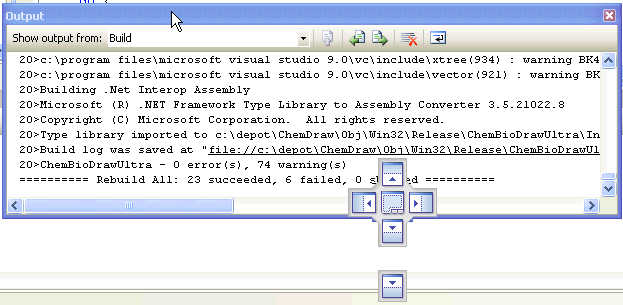
My second peeve would be the amazingly small tool icons. Monitors are large and getting higher resolution. Icons 4x as big as these would be more appropriate for today.
Number 1 Favorite Features I'd Like to Find in Visual Studio
The open quickly dialog (command-shift-D) in Xcode used to be functional, but a bit lame compared to the one that had been in Metrowerks CodeWarrior, now it's one of the greatest things ever. Just open it up and start typing and as like as not, you will find the file you are looking for in a dynamically filled search list. And it is amazingly fast.
I say like to find, because Visual Studio is so filled with impossible to discover features, it might just have it already.
[Update: Philippe writes to say
Also, a neat trick in Visual Studio that mimics "Open Quickly" is this:]
1. Set the focus to the Search field in the toolbar
2. Type ">of " followed by the filename (e.g. ">of MyF")
Getting Better All The Time
Long time Mac coders will recall that when Xcode first came out it was much worse (at the very least as a C++ IDE) than the product it killed: Metrowerks CodeWarrior which was a refined, lightning fast IDE beloved by most. But over the years, Xcode has gotten better by fits and starts. And since the iPhone took off, it's been getting better by leaps and bounds. Code completion, which used to be useless is now indispensable. The linker has gotten much faster and memory savy. The new llvm compiler which replaces gcc is fast, stable, and thankfully even tougher on iffy code. I've actually started using in-editor debugging to look up variable values, and like I said before the Open Quickly dialog is fantastic.To Sum Up
I like Xcode. It is an Apple product, with all the good that entails: esthetics, selective choice of features, performance, ease of use. From a base of high quality, it continues to improve. I suspect it will soon integrate such technologies as Clang or openCL and become even better. PC programmers moving over to iPhone development should give it a chance and try to grok how and why it is the way it is.[Update: content updated since first post]
Saturday, June 27, 2009
The lagging edge
I was taking my daily glance through MacSurfer when I was struck by a press release from WaveMetrics announcing a new version of Igor, the data graphing program. That brought back memories, Igor was my absolute favorite graphing program back when I was in Chemistry grad school in the early 1990s and it could always be depended upon to make the slickest output of the myriad Mac or Windows programs used at what was then called the Center for X-Ray Lithography. I have not seen it since graduating in 1995, and it is good to see it is still alive.
But what really caught my eye, that it is now in 2009 that Igor has moved to Quartz rendering from QuickDraw. According to Wikipedia Quartz was first demonstrated at the 1999 WWDC and has been the recommended mode of rendering on OS X since its introduction. Such is the inertia in the software business that an application as graphically intensive as Igor, a program which would benefit hugely from the modern features one gets for little effort with Quartz, takes 10 years to make the transition.
I wonder if the proximal cause of this laggard transition is the impending doom of Snow Leopard, where QuickDraw using 32-bit apps are distinct second class citizens. A "Pro" graphing app, might well benefit from 64-bit status, and to do that every single QuickDraw call must be expunged. Apple had spent enough time on carrots in making Quartz a beautifully clean API generally superior to QuickDraw in every way, and is now bringing down the stick of enforced obsolescence to bring the last stragglers into the fold.
I will be doing this transition over the course of the summer, myself. I'm down to 800 or so deprecated symbol warnings, so I've a ways to go before the day job application sees 64-bit nirvana.
But what really caught my eye, that it is now in 2009 that Igor has moved to Quartz rendering from QuickDraw. According to Wikipedia Quartz was first demonstrated at the 1999 WWDC and has been the recommended mode of rendering on OS X since its introduction. Such is the inertia in the software business that an application as graphically intensive as Igor, a program which would benefit hugely from the modern features one gets for little effort with Quartz, takes 10 years to make the transition.
I wonder if the proximal cause of this laggard transition is the impending doom of Snow Leopard, where QuickDraw using 32-bit apps are distinct second class citizens. A "Pro" graphing app, might well benefit from 64-bit status, and to do that every single QuickDraw call must be expunged. Apple had spent enough time on carrots in making Quartz a beautifully clean API generally superior to QuickDraw in every way, and is now bringing down the stick of enforced obsolescence to bring the last stragglers into the fold.
I will be doing this transition over the course of the summer, myself. I'm down to 800 or so deprecated symbol warnings, so I've a ways to go before the day job application sees 64-bit nirvana.
Subscribe to:
Posts (Atom)